
Smart Home Devices Work Offline: What Works Without Internet and What Stops
When smart home devices work offline, your home stays usable even when the internet drops. But not every “smart” gadget behaves the same way. Some devices keep working because they rely on local control, while others freeze because commands must travel through the cloud first. That difference shows up fast during an outage: lights may still turn on from a wall switch, sensors may still trigger routines, but voice assistants, remote app access, and cloud alerts can disappear instantly.
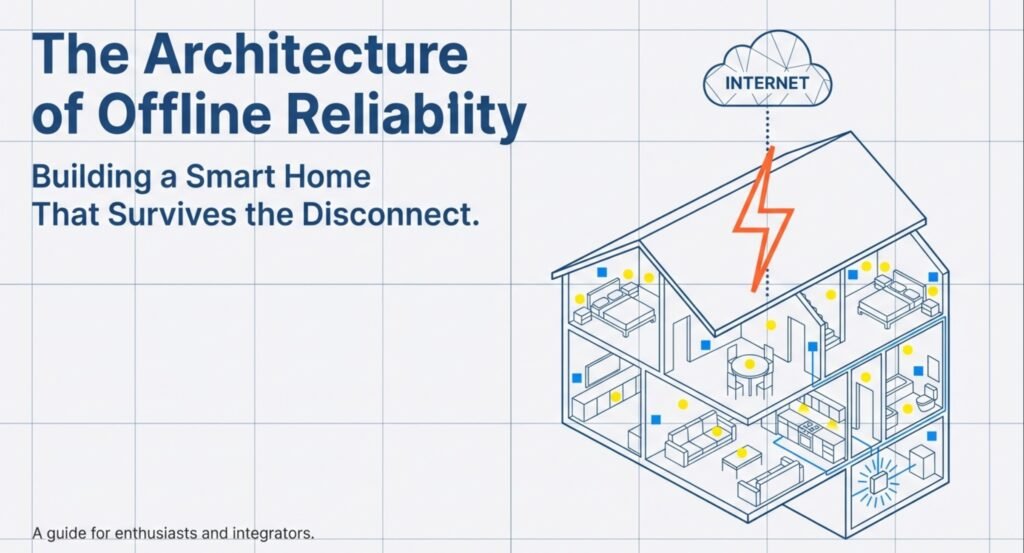
This guide explains what “offline” really means, what usually keeps running, what typically stops, and the realistic limits of offline smart home automation—so you can set expectations and avoid surprises.
Key Takeaways
- Some smart home devices still handle core tasks without internet
- Offline reliability depends on local control, not remote servers
- Internet outages don’t break everything—only the cloud-dependent parts
What It Means When Smart Home Devices Work Offline
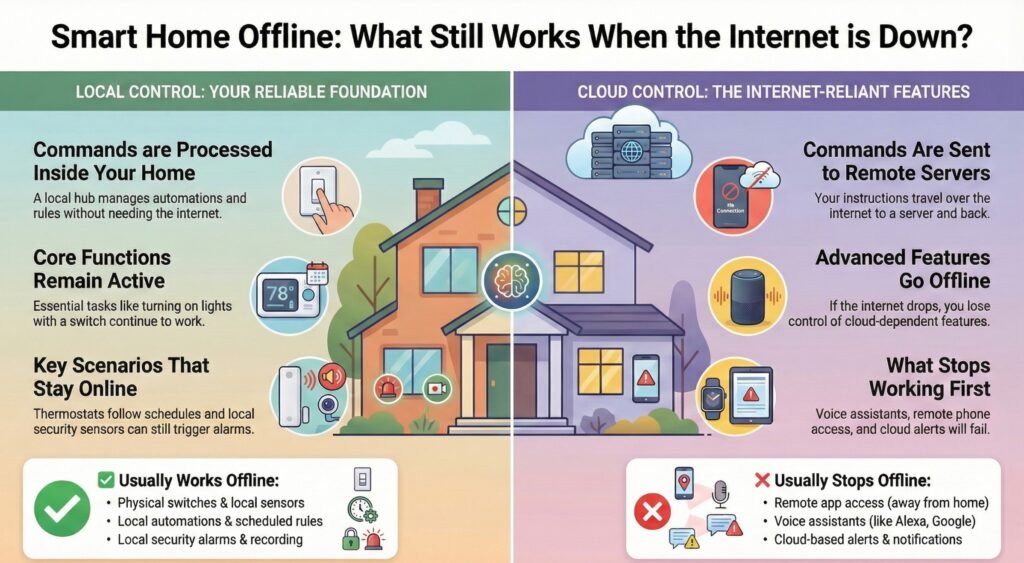
When smart home devices work offline, they keep doing their main jobs even if the internet’s down. It all depends on how they talk to each other, where decisions happen, and what just won’t work during an outage. Knowing this stuff helps you avoid surprises in daily life.
Offline Operation Defined: What Still Works Without Internet
Smart home “offline” doesn’t mean the devices have no connection at all—it means your home can still run important actions without sending commands outside your network.
In real life, devices may still communicate over Wi-Fi, Zigbee, Z-Wave, Bluetooth, or through a local hub. But during an outage, most homes lose anything that requires remote servers—like control from outside the house, cloud notifications, and many voice features.
What Still Works (and What Usually Stops) — Quick View
| Usually works offline (local) | Usually stops first (cloud/internet) |
|---|---|
| Physical switches + manual controls | Remote app access (when you’re away from home) |
| Local automations (hub-based rules) | Voice assistants + most voice commands |
| Schedules stored on a hub/device | Cloud alerts + cloud-only routines |
Simple rule: if it happens fully inside your home network (hub/device), it has a good chance to keep working.
What Usually Stops First (and What Works Instead)
When the internet drops, most smart homes don’t “fail” all at once. The first things to break are usually the features that rely on cloud servers—especially anything that needs access from outside your home.
Smart Home Devices During Internet Outage: Common Scenarios
Offline features matter most when your internet is down, your router’s acting up, or there’s a service problem. You still want your home to react to basic stuff.
| What usually stops first | Why it stops | What still works instead |
|---|---|---|
| Remote control from your phone (away from home) | Needs cloud access to reach your home network | Local control while you’re on home Wi-Fi |
| Voice assistants and voice commands | Voice processing often relies on cloud services | Physical switches, hub buttons, local automations |
| Cloud notifications and remote alerts | Alerts are routed through online services | Local alarms, local sirens, local recording |
| Live cloud streaming in apps | Video often routes through the cloud | Local recording or local network viewing (if supported) |
| Integrations that pull online data | Weather/location/third-party services are online | Time-based rules and sensor triggers |
Why this happens
Your smart home is usually split into two “brains”:
- Local control: decisions happen inside the home (hub/device). Internet is optional.
- Cloud control: decisions happen on remote servers. If internet drops, the feature pauses.
That’s why the same outage can feel minor in one home and disastrous in another.
Smart Home Local Control vs Cloud: Why It Decides Offline Reliability
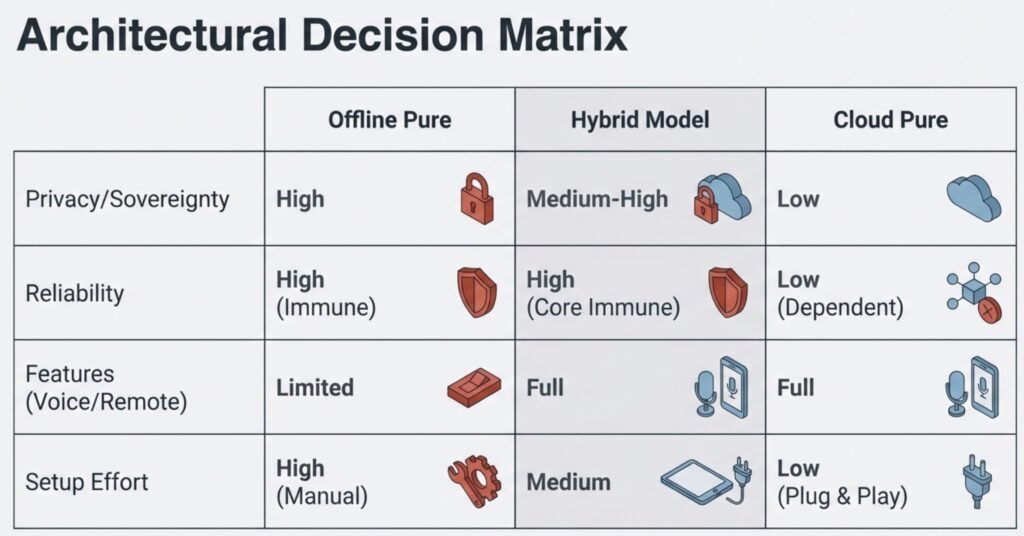
Most setups come down to one choice: does your system run locally, or does it depend on the cloud? That decision determines what keeps working when the internet drops—and whether your home stays usable offline.
With local control, devices process commands right in your house. A hub runs automations, handles traffic, and uses your local network. Internet? Optional.
Cloud-controlled systems send commands out to remote servers first. If your internet drops, so does your control—nothing gets through.
Main differences for offline use:
- Local control: quick response, works offline, fewer remote features
- Cloud control: better remote access, needs internet, can be slower
Some homes mix both. How reliable things are offline depends on which jobs stay local and which need the cloud.
Quick Offline Reality Check for Your Smart Home
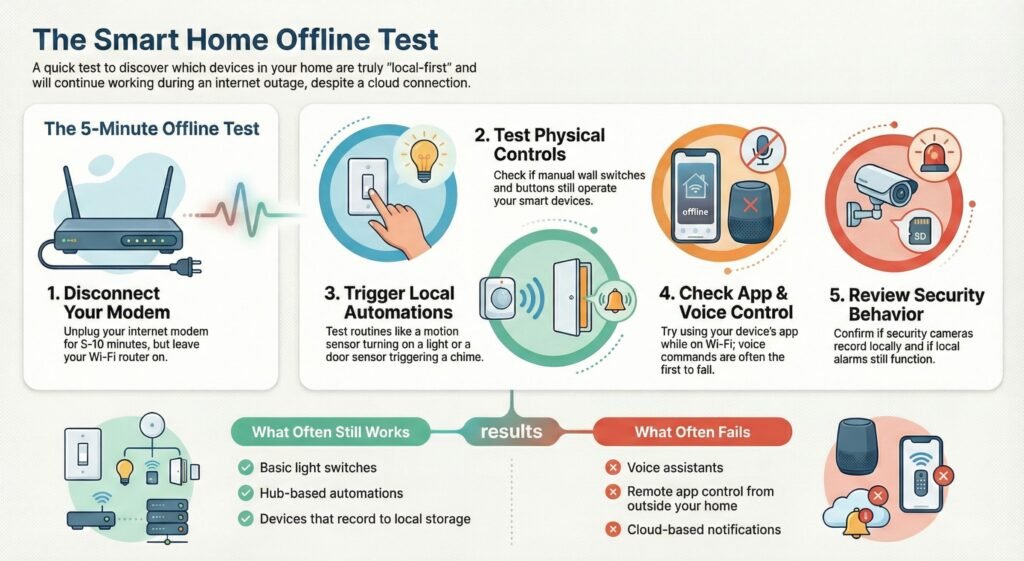
You don’t need special tools to find out whether smart home devices work offline. A quick test at home will show you what keeps running, what fails, and whether your setup is truly local-first or cloud-dependent.
How to test if smart home devices work offline
Try this once and you’ll instantly know how “offline-capable” your setup really is:
- Unplug your modem (not the router) for 5–10 minutes
- Stay connected to your home Wi-Fi
- Test physical controls first (switches, buttons, manual controls)
- Trigger one local automation (motion → light, door sensor → chime)
- Try app control while at home (if it works on Wi-Fi, that’s a good sign)
- Test voice commands last (often the first to fail)
- Check security behavior: local recording? alarms? sensors?
- Write down what is: works offline / partially / stops
Common “Internet Down” Scenarios (What You’ll Notice)
- Lighting: switches and many hub-based routines still work
- Sensors: motion/door sensors often still trigger local actions
- Security: local sirens and some recording may continue (if stored locally)
- Thermostats: often stick to schedules and saved settings
Real outage snapshot (what a normal home experiences)
- Internet dropped in the evening: lights still worked from wall switches, and a motion sensor still triggered the hallway light.
- The phone app worked only while on home Wi-Fi—once the phone switched to cellular, remote control failed.
- The camera kept recording to the SD card, but live view + notifications disappeared until the internet came back.
- Voice assistant responses started failing, and anything relying on cloud data (like weather-based routines) paused.
Most people only discover these differences after an outage. The goal is simple: keep the routines you rely on most working even when the internet flakes out.
Smart Home Devices Offline Functionality: What Usually Keeps Working
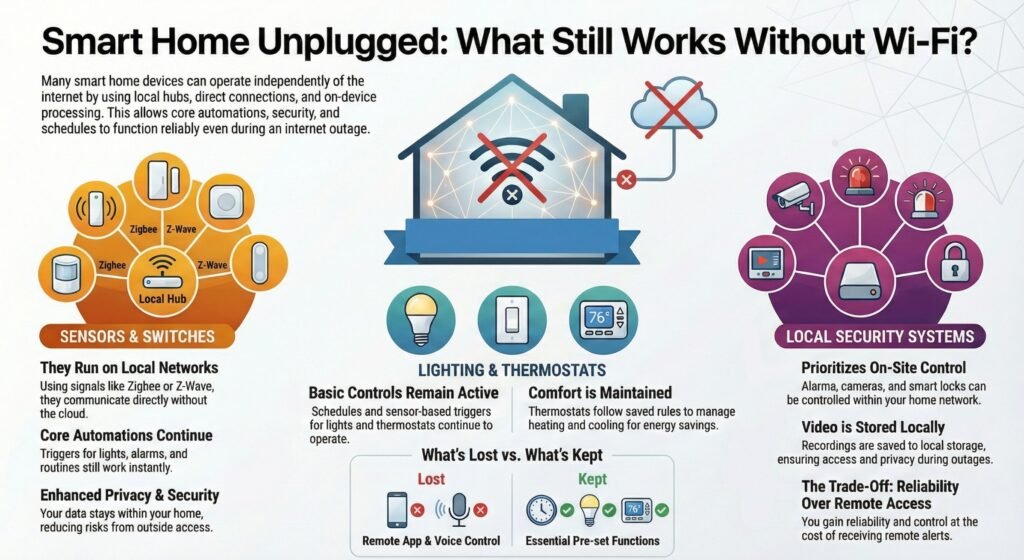
Smart home devices offline functionality depends on one thing: whether the important actions stay inside your home network. When smart home devices work offline, they can still handle basic control and automation during a router hiccup or a full outage — but cloud-dependent features usually pause.
So, do smart home devices work without internet? Some do. The devices most likely to keep working are the ones built around local control, direct device-to-device communication, or a nearby hub that can run rules without the cloud.
Quick rule of thumb: if the action happens locally, your setup stays useful when the internet drops.
Now let’s break it down by device type, so you know what stays reliable first—and what usually disappears during an outage.
Sensors and Switches (Most Reliable When Smart Home Devices Work Offline)
Sensors and switches often work offline because they use short-range signals and local hubs. Motion sensors, door sensors, and wall switches can still trigger actions without sending anything outside your home — that’s classic smart home devices offline functionality in action.
Why this keeps working:
Most sensors use Zigbee or Z-Wave, and a hub processes the trigger locally (door opens → hub reacts → light or siren triggers). When smart home devices work offline, this is usually the first category that stays “alive.”
Typical offline actions:
- turning on lights when motion is detected
- triggering alarms locally
- running routines based on time/sensors
✅ Reality check for beginners: sometimes the device still works, but the app won’t show logs/history until you’re back online.
Lighting and Thermostats (Partial Offline: Basics Work, Convenience Stops)
Lighting (local control vs cloud decides everything)
Smart lighting often keeps the basics running through switches, schedules, or a hub. Systems like Hue-style hub lighting can keep schedules and automations running locally — especially in a local control smart home setup.
What usually works during internet outage:
- switch control still works
- motion-to-light automations (if stored locally)
- scheduled routines (if local)
What usually stops:
- voice control
- remote app control when you’re away
- cloud-only scenes or dashboards
Thermostats (usually keep schedules)
Thermostats often keep running because they store schedules and saved behavior locally. Even during a smart home devices during internet outage, they can still adjust temperature based on the last programmed rules — you mainly lose remote access and cloud reporting.
Local Security Systems (Offline Strength Depends on Local Recording)
Local security systems can keep working if they prioritize on-site control. If your camera or system supports local recording (SD/NVR/local storage), recordings can still be saved even when the internet disappears — a huge practical benefit of smart home devices offline functionality.
What can still work offline:
- local siren/alarm triggers
- local motion detection (depends on device)
- local recording (if supported)
- smart locks may still work locally
What usually stops first:
- remote notifications
- remote live view (away from home)
- cloud AI features and cloud clip access
✅ The clearer takeaway: local recording means you may lose remote alerts, but you don’t lose evidence.
How Smart Home Devices Work Offline (The 3 Mechanisms)
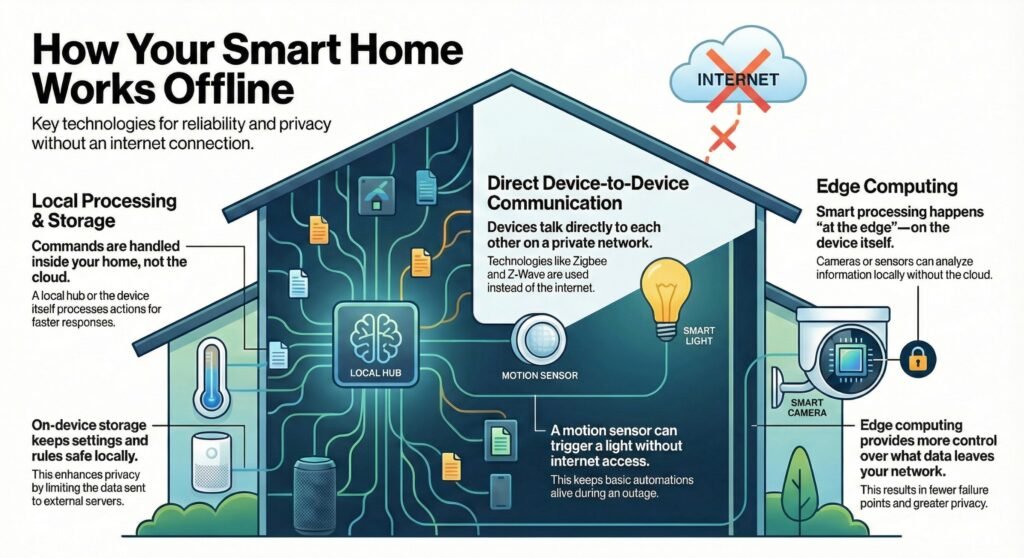
When smart home devices work offline, it’s usually because one (or more) of these mechanisms is doing the heavy lifting.
Local Processing and Storage (Hub/Device Runs the Brain)
In a strong local control smart home setup, actions run on the hub/device. Settings, schedules, and rules are stored locally, so core routines can continue without outside servers.
That’s why presses, triggers, and schedules can still happen even when the cloud is unavailable.
Direct Device-to-Device Communication
Zigbee/Z-Wave devices can “talk” inside a private network. Example: a motion sensor triggers a light without contacting a server — this is one of the most reliable forms of smart home devices offline functionality.
Edge Computing (Smart Decisions Happen at Home)
Some devices (cameras/hubs) can process events locally — detect motion, trigger actions, and store clips without cloud round-trips. This improves reliability during a smart home devices during internet outage.
Offline Smart Home Automation Limits (Benefits + Tradeoffs)
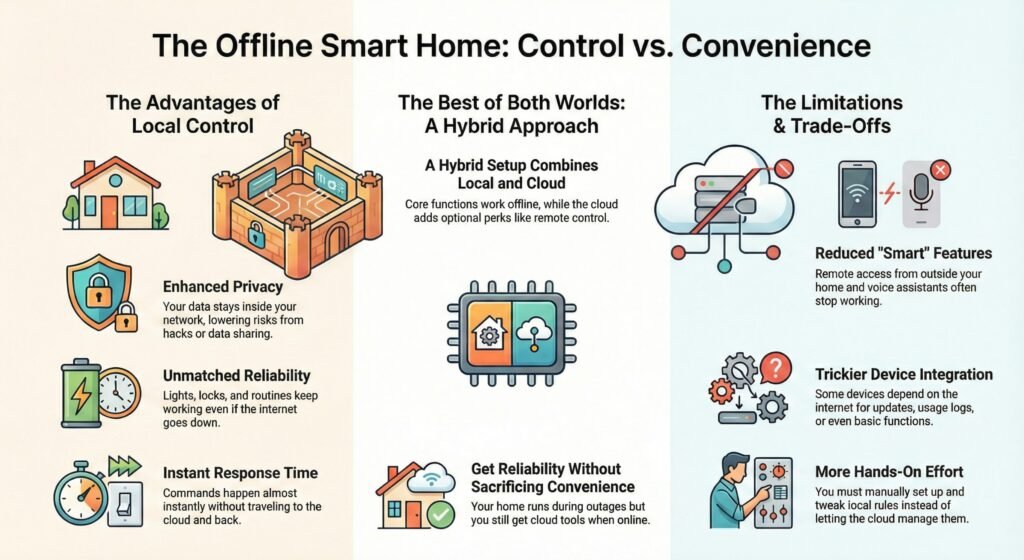
Even with great smart home devices offline functionality, there are real offline smart home automation limits. Offline improves reliability, but reduces cloud convenience.
Advantages (privacy + reliability + response time)
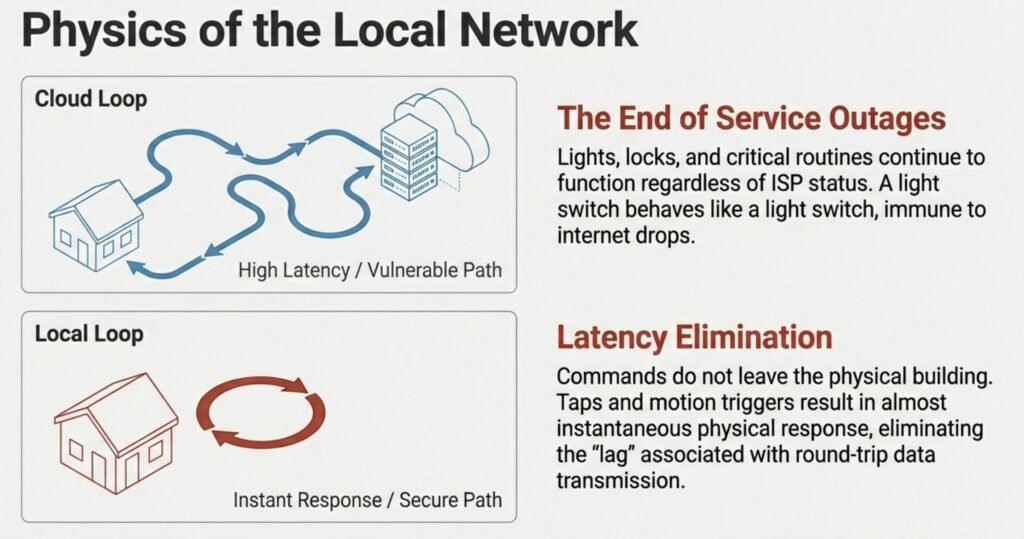
When your setup stays local-first, commands don’t leave the house, so response feels faster and routines don’t fail just because a service is down. When more actions stay local:
- Basic features keep working during outages
- Response time often feels instant
- Fewer “server problems” ruin your routines
- Less reliance on remote services can improve privacy in day-to-day use
Limitations (what you lose without internet)
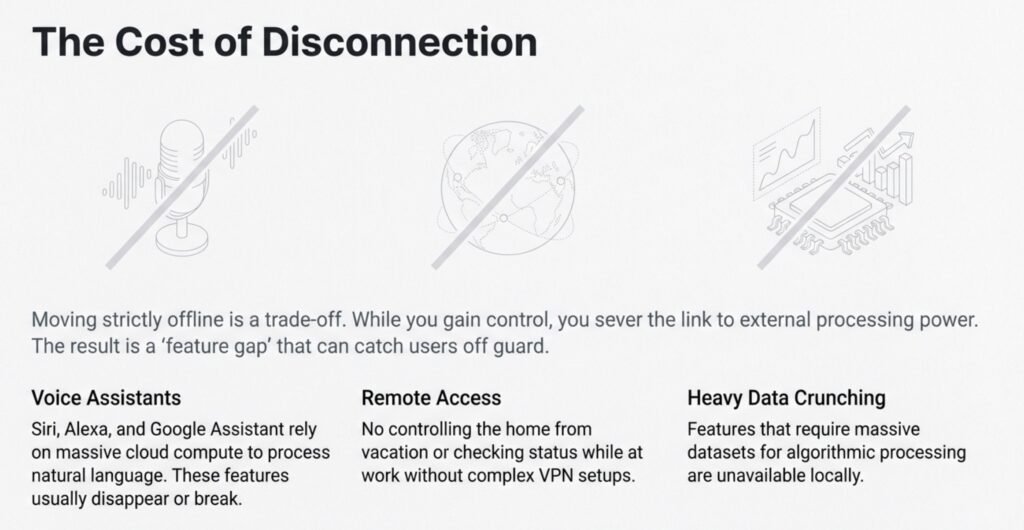
Common offline smart home automation limits include:
- remote access from outside your home
- cloud alerts and cloud dashboards
- automations that need weather/location/third-party services
- voice assistants (often cloud-dependent)
The Most Practical Approach: A Local Control Smart Home Setup (Hybrid)
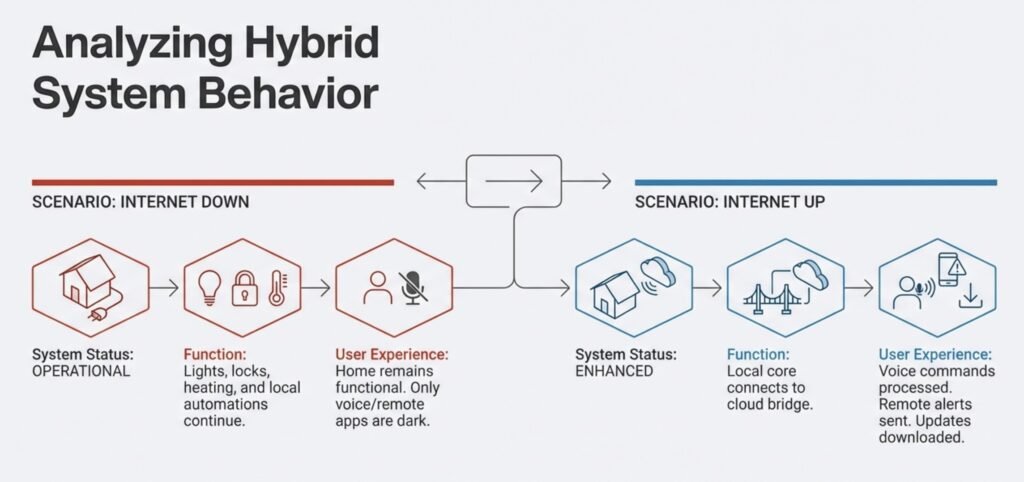
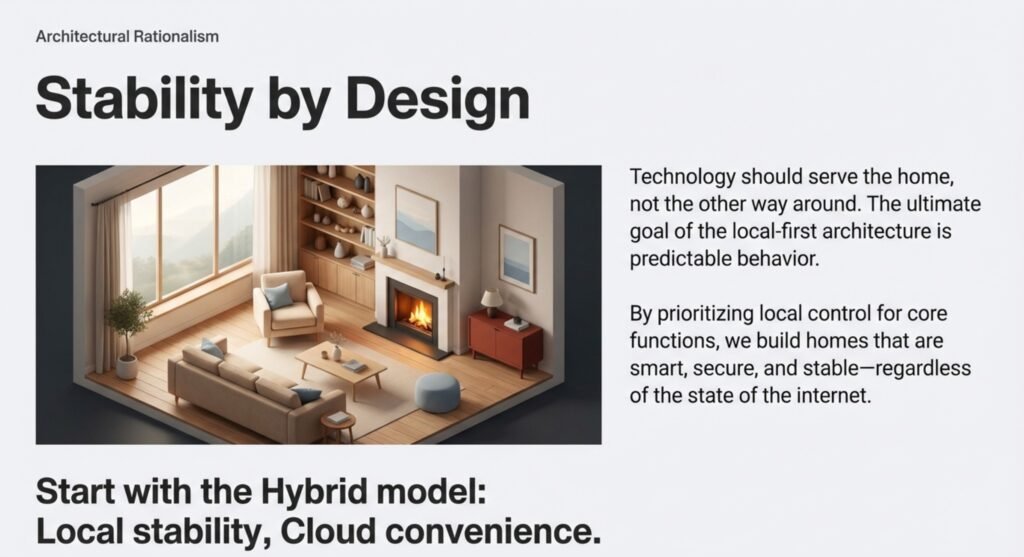
For most beginners, the best strategy is a hybrid: keep “must-work” routines local, and treat cloud features as optional extras. That’s the most realistic local control smart home setup for reliability without sacrificing convenience.
A hybrid approach is often the sweet spot:
- Keep critical routines local (lights, sensors, basic security reactions)
- Use cloud features as optional add-ons (remote access, voice, dashboards)
That way, when internet drops, your home still works—and when it’s back, you regain the convenience.
Local-Control Challenges: Compatibility, Maintenance, Security
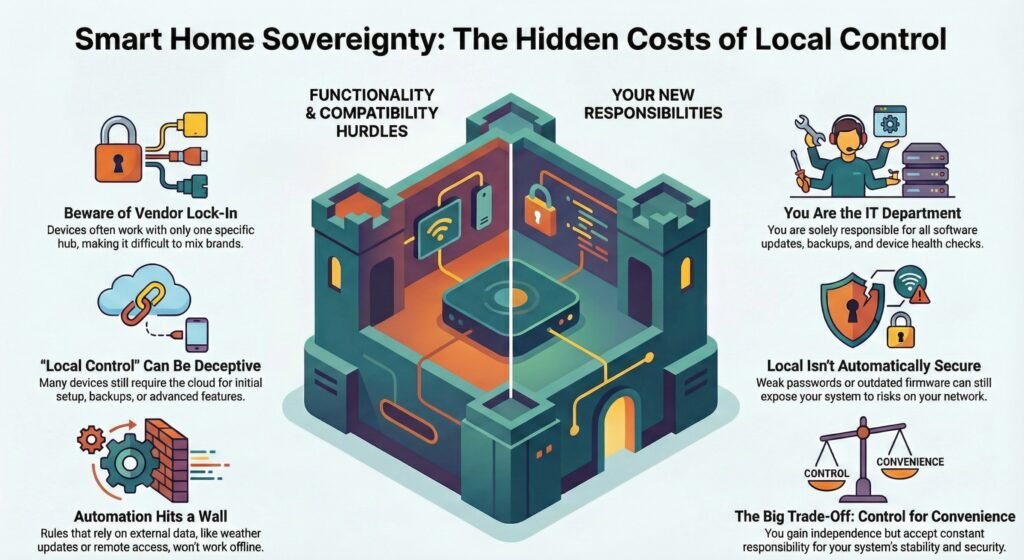
Going more “offline-capable” can introduce real responsibilities.
Compatibility Issues and Vendor Lock-In
Many devices claim “local control,” but still rely on cloud for:
- setup
- backups
- certain advanced features
Some ecosystems also make mixing brands harder, especially if a device only supports local control through one platform.
Limited Automation Options (Offline)
Any automation that needs outside data can break offline:
- weather-based triggers
- remote triggers
- some cross-service integrations
Local triggers can still work—cloud logic often cannot.
Maintenance and Security (Local = Your Responsibility)
Local control can reduce cloud dependence, but it also means:
- updates and backups matter more
- old firmware can become a security risk
- weak passwords and poor network hygiene still expose you
Simple framing: local doesn’t automatically mean “safe.” It means you’re in charge.
Offline Smart Home Tech Trends: On Device AI and Local Voice Control
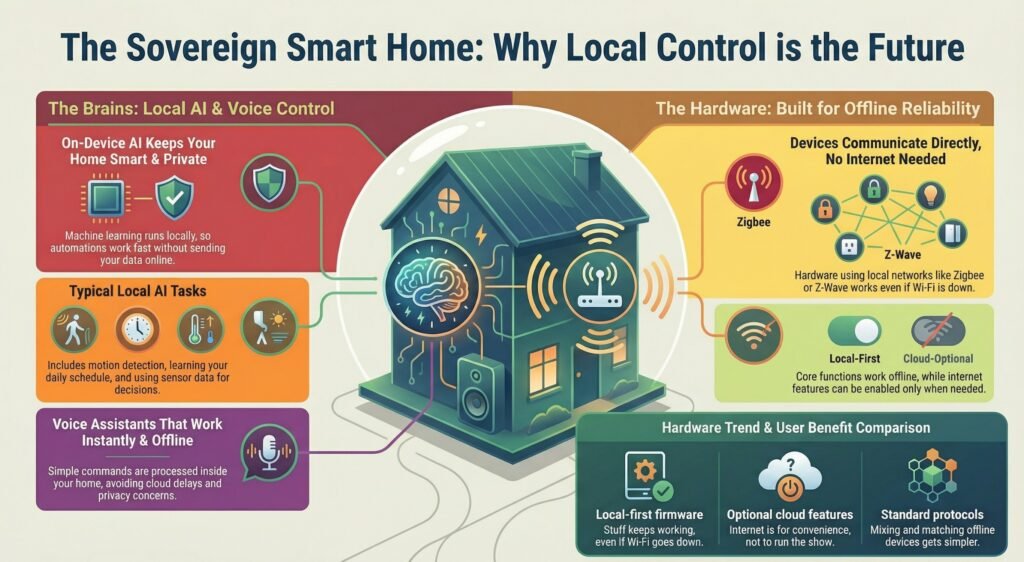
The trend is clear: more smart home “brains” are moving into the home.
On-Device AI
More systems are doing intelligence locally (motion analysis, behavior patterns, automation decisions), which helps reliability when internet drops and can improve privacy.
Common local AI-style tasks:
- detecting motion or presence
- learning routines
- making decisions from sensor data
Local Voice Assistants
Local speech recognition is improving for basic commands at home. You gain privacy and reliability, but you usually lose remote voice features by default.
Voice control doesn’t have to mean cloud-based virtual assistants anymore. Offline systems now support local speech recognition and natural language processing using small, focused models.
You can say things like “turn off the lights” or “set the temp to 70,” and the system just does it—no audio sent online. These tools work best with short commands and simple vocabularies, which actually makes them more reliable and private.
Local voice assistants usually run on the same hub as your automations. Because commands stay local, this setup avoids delays caused by internet slowdowns or cloud round-trips.
Here’s what you get with offline voice control:
- Only works inside your house
- Great with basic commands
- No remote access by default
Trends in Offline Capable Devices
More and more, device makers are building hardware that works just fine without needing to ping the cloud every second. You’ll find sensors, switches, and controllers chatting over local networks like Zigbee or Z-Wave, no internet required.
Industry groups are in on this, too. Organizations like CEDIA talk about how offline smart home systems are becoming more practical as installers—and honestly, regular folks—want home tech that’s reliable and doesn’t need the web just to turn on a light.
There’s also a trend toward devices that do the important stuff locally, but let you turn on internet features if you want. This hybrid setup means you get to decide when being online actually helps.
| Trend | What it means for you |
|---|---|
| Local-first firmware | Core stuff keeps working even if internet drops |
| Optional cloud features | Cloud becomes convenience, not the “brain” |
| Standard protocols | Mixing and matching gets easier over time |
Bottom line: It’s becoming easier to build a smart home that stays functional even when the internet doesn’t.
FAQ: Smart Home Devices That Work Offline
Do smart home devices work without internet?
Some do. If the device uses local control or stores rules on the device/hub, core functions can still work.
When the internet goes down, what usually stops first?
Remote access, voice assistants, cloud alerts, and features that depend on cloud data.
What does “offline functionality” actually mean?
Key actions happen inside your home network or on-device—not on remote servers.
How do I know what will still work during an outage?
Disconnect the modem and test switches, routines, and sensors. Whatever still works is your real offline capability.
What are the biggest offline automation limits?
Anything needing outside data (weather, remote triggers, cloud routines) or cloud-only integrations.
Safest beginner approach?
Keep critical actions local (lights, sensors, basic routines) and treat cloud features as optional extras.