
Smart Home Compatibility Explained: How Devices Really Work Together
Smart home devices promise convenience, but problems often start when they don’t connect the way you expect. Boxes say “compatible,” yet lights, locks, speakers, and apps still refuse to cooperate. This confusion usually comes down to compatibility, not user error.
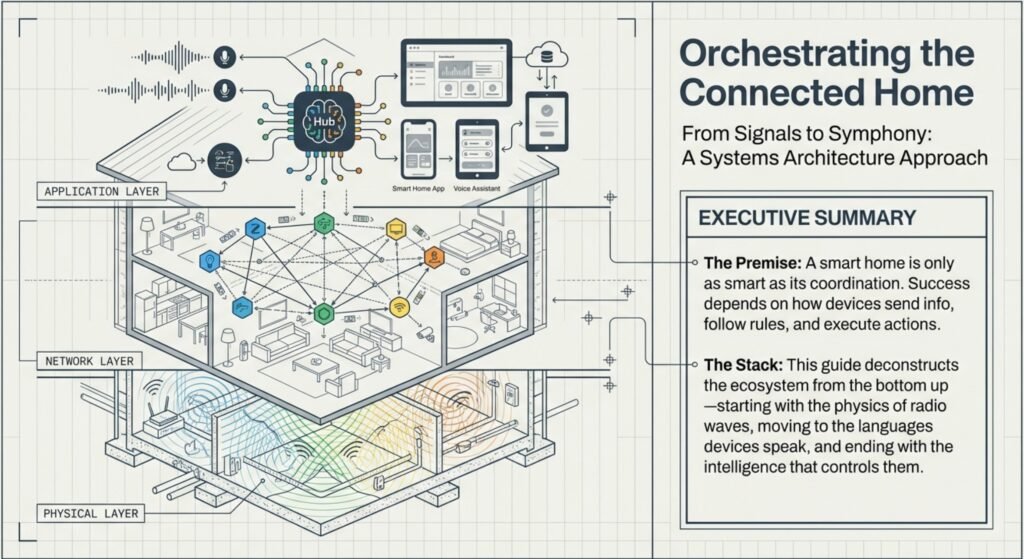
In this guide, smart home compatibility is explained in plain language—how devices communicate, why some setups work smoothly, and where common breakdowns happen. You’ll learn how smart home devices work together, what causes smart home compatibility issues, and why hubs, platforms, and protocols matter more than brand names.
By understanding these basics before expanding your setup, you avoid mismatched gadgets, broken routines, and constant troubleshooting. The goal isn’t perfection—it’s realistic expectations and a system that works reliably day to day.
Key Takeaways
- It’s not just about brand names—compatibility comes down to how devices communicate
- Some devices connect easily, others hit snags or have security tradeoffs
- Standards and updates keep changing the way smart homes fit together
What Is Smart Home Compatibility?
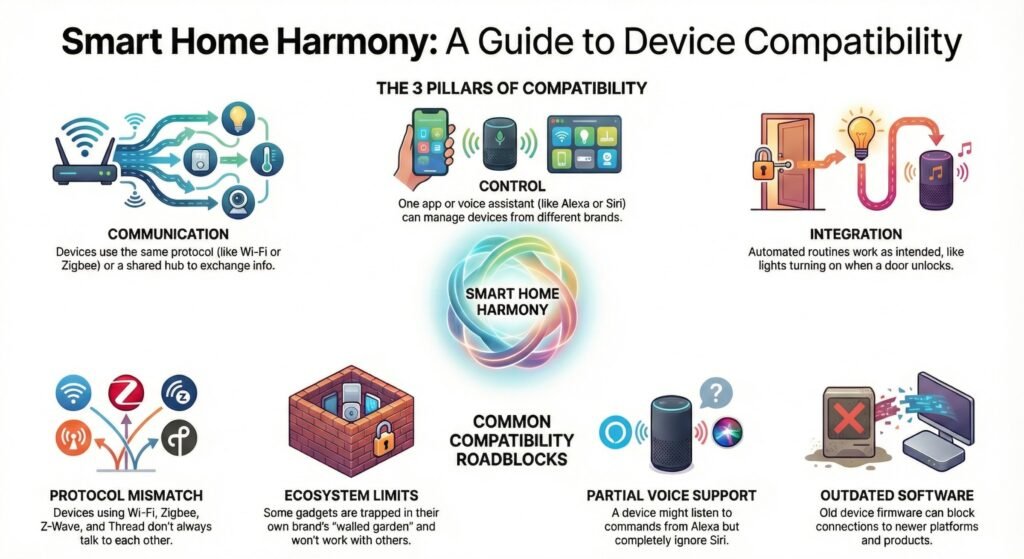
Smart home compatibility explained simply means whether devices can connect, share information, and react together in everyday use. It shapes how well automation works, how many apps you’ll juggle, and whether voice control is a breeze or just a pain.
Definition of Compatibility in a Smart Home
So, what does compatibility actually mean? Your IoT devices should be able to work together on the same network and follow the same rules. Lights, sensors, locks, thermostats—they all need to “understand” each other’s signals so your automation doesn’t trip up.
It really comes down to three things:
- Communication: Devices use the same protocol or share a hub so they can swap info.
- Control: One app or virtual assistant can run lots of devices at once.
- Integration: Actions actually work, like your lights turning on when the door unlocks.
When things click, you can use Alexa or Siri to control different brands in a single routine. This is pretty much what experts mean when they talk about smart home device compatibility—it’s the base for a system that just works.
Common Smart Home Compatibility Issues
Many smart home compatibility issues happen because devices follow different standards and can’t communicate reliably. Maybe a sensor connects to your Wi-Fi, but it won’t trigger your routines. Sound familiar?
Here’s what usually goes wrong:
- Protocol mismatch: Wi‑Fi, Zigbee, Z-Wave, and Thread don’t always talk to each other.
- Ecosystem limits: Some gadgets only work inside their own little world.
- Partial voice support: A device might listen to Alexa but ignore Siri.
- Outdated software: Old firmware can block new connections.
These are the reasons why device compatibility matters in smart homes. If things don’t line up, your “smart” system just adds hassle.
Quick Breakdown Map (What You See vs What’s Usually Wrong)
- Device works in its own app, but not in routines → ecosystem limitation or partial integration
- Voice assistant can control it, but automations don’t trigger → trigger permissions / platform restrictions
- Device keeps going offline → weak network coverage, 2.4GHz congestion, or hub placement issue
- New device won’t pair → protocol mismatch, missing hub/bridge, or wrong pairing mode
- After an update, things break → software interoperability or changed permissions (very common)
How Smart Home Devices Communicate
Whether your smart home works well or not depends on how devices send info, follow the same rules, and coordinate actions. The way they communicate affects speed, reliability, and how well gadgets from different brands can team up for automations.
Smart Home Device Communication Protocols
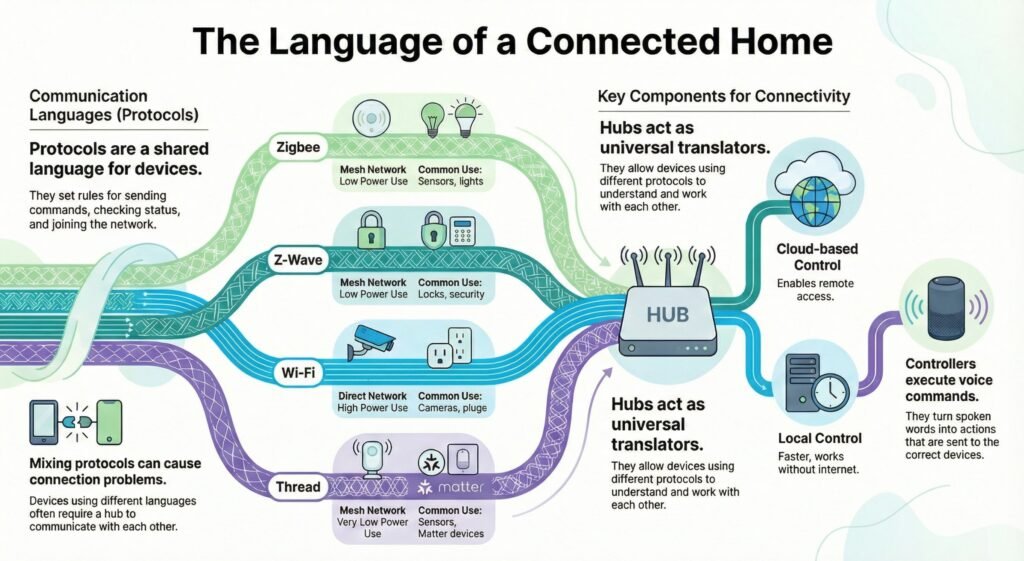
Smart home device communication protocols act as the shared language that lets devices exchange commands and status updates. Each one lays out how gadgets join the network, send commands, and confirm stuff happened. The big names are Zigbee, Z-Wave, Thread, Wi‑Fi, and now Matter.
They’re all a bit different. Zigbee and Z‑Wave use mesh networks—devices pass signals to each other. Wi‑Fi connects straight to your router and leans more on the cloud. Thread is mesh too but supports modern IP traffic and local control.
If you mix protocols, you’ll probably need a bridge or hub, or things just won’t connect. That’s why guides on smart home device protocols always warn about mixing brands.
| Protocol | Network Type | Power Use | Common Use |
|---|---|---|---|
| Zigbee | Mesh | Low | Sensors, lights |
| Z-Wave | Mesh | Low | Locks, security |
| Wi‑Fi | Direct | High | Cameras, plugs |
| Thread | Mesh | Very low | Sensors, Matter devices |
Matter vs Thread vs Zigbee vs Z-Wave (What Each One Actually Does)
It helps to separate “standards” from “networks,” because that’s where most confusion starts.
- Matter is the shared standard that helps devices from different brands work together more consistently across platforms.
- Thread is a low-power mesh network (like a modern transport layer) that some Matter devices use to communicate locally.
- Zigbee is a separate mesh network commonly used for sensors, lights, and low-power devices—reliable, but it usually needs a hub to connect into your ecosystem.
- Z-Wave is another separate mesh network (often strong for security devices) and also typically needs a compatible hub.
What this means in real homes:
Matter doesn’t automatically make everything compatible. If a device speaks Zigbee or Z-Wave, your ecosystem still needs the right hub to translate. If a device uses Thread, you need a Thread border router to keep that network stable.
Wireless Standards and Technologies
Wireless standards are about how signals travel through the air. Most smart devices use radio frequencies like 2.4 GHz, sub‑GHz, or Wi‑Fi bands. The choice affects speed, range, and how much interference you get from other stuff in your house.
Wi‑Fi is good for big data—think video or audio. The low-power options are better for reliability and battery life. In a smart home, these tradeoffs decide how well automations run and how often things just drop offline.
Some systems rely on cloud processing, others keep actions local. Local is faster and keeps things running even if your internet goes down. Problems pop up when one device expects cloud and another expects local—it’s a mess.
In real homes, this usually shows up like this: your Wi-Fi camera works fine in its own app, but your Zigbee motion sensor can’t trigger it unless a hub bridges them.
Smart Home Hub Compatibility
Smart home hub compatibility matters because hubs act as translators between devices that don’t share the same protocol. They let devices with different “languages” talk to each other. They also manage automation rules, device status, and security. Without a hub, lots of gadgets can’t share info at all.
Controllers handle voice commands too. When you say something, natural language processing (NLP) turns your words into actions. The controller then sends the right command to each device. It’s not just about convenience; it’s about making sure everything actually works together.
Some hubs keep things local for speed and reliability. Others depend on the cloud, which means remote access but also more things that can go wrong.
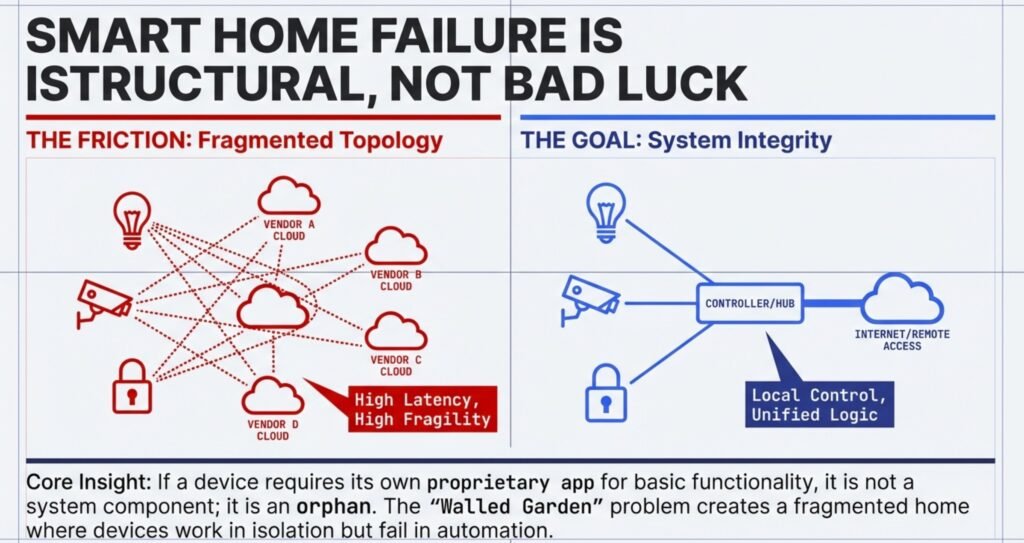
Local vs Cloud Compatibility (Why Some ‘Compatible’ Setups Still Break)
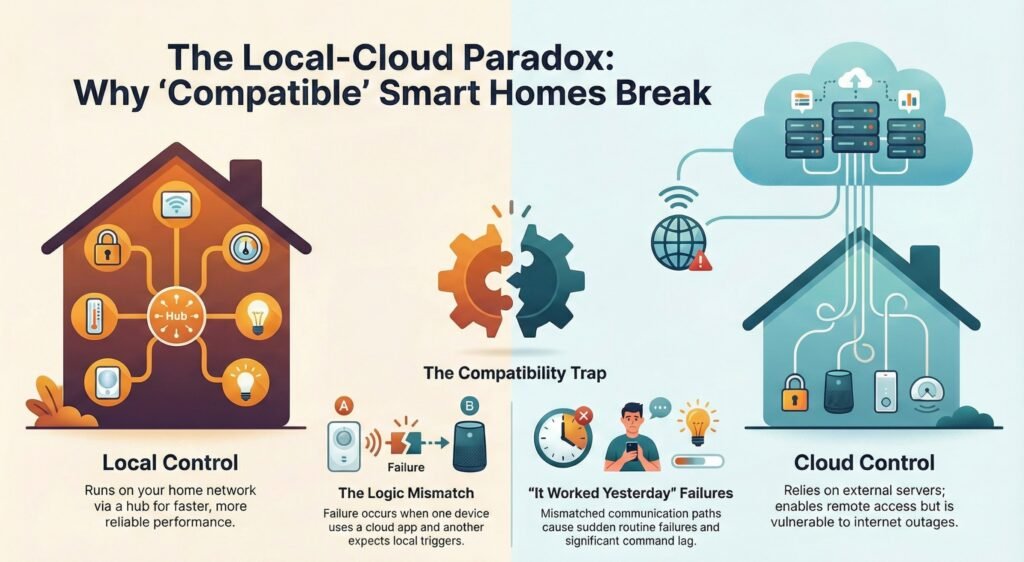
Two devices can look compatible on paper but behave totally differently depending on where the “brain” lives.
- Local control means automations can run inside your home network (often via a hub). It’s usually faster and more reliable during internet problems.
- Cloud control means commands and routines rely on external servers. It enables remote access, but outages, service changes, or account issues can cause sudden failures.
The compatibility trap:
One device may work only through its cloud app while another expects local triggers. That mismatch creates lag, broken routines, and common “it worked yesterday” failures—classic smart home interoperability problems.
Key Compatibility Factors to Consider
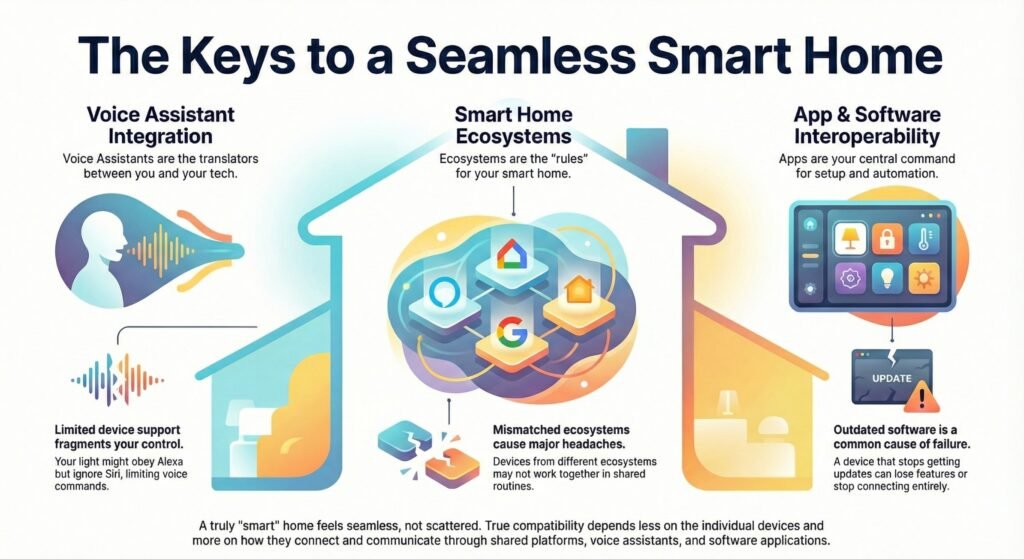
How compatible your smart home is really comes down to how well devices connect to shared platforms, respond to voice control, and work together through apps and software. These things decide if your setup feels smooth or just scattered.
Smart Home Ecosystem Compatibility
Platform ecosystems are the rules for how devices connect and share control. Pick Alexa, Google Home, or Apple HomeKit, and you’re choosing the rules your gadgets have to follow. Each supports different brands and features.
Some use shared standards and hubs, others use cloud links. That changes setup, speed, and how flexible things are later. A lot of compatibility headaches come from mixing devices made for different platforms. Here’s what that looks like in practice: you can add the device, control it manually, but it won’t appear inside shared routines—so ‘good enough’ turns into daily annoyance.
If your gadgets don’t support the same ecosystem, they might work alone but not together. This really matters if you want shared routines or to control everything from one app.
Voice Assistant Integration
Voice assistants are the layer between you and your devices. Alexa, Google Assistant, Siri—they all use natural language processing (NLP) and machine learning to figure out what you mean.
Problems show up when a device only works with one assistant. Maybe your light listens to Alexa but ignores Siri. Suddenly, your voice control is limited to certain rooms or routines.
You can type instead of talk, but if your devices don’t support the assistant, these features just don’t work right. You’ll feel this difference immediately: one assistant can control everything in one sentence, while the ‘almost compatible’ device forces you back into its brand app.
App and Software Interoperability
Apps are where you set up, update, and automate your devices. If the apps don’t play nice, you’ll be bouncing between them for even simple tasks—and that gets old fast.
Smart home interoperability problems often come from mismatched software standards or missing updates. If a device stops getting updates, it can lose features or just stop connecting. Suddenly your routines break and you’re left guessing why.
Look for systems that let devices share info securely. Like, motion sensors should be able to turn on lights—even from different brands. Most compatibility breakdowns are software-shaped: an update changes permissions, a cloud service hiccups, or a device stops receiving firmware—then routines that worked yesterday silently fail.
When apps work together, you spend less time troubleshooting and more time actually enjoying your home.
Smart Home Compatibility Checklist (Quick Test Before You Add Any Device)
Before you buy or pair a new gadget, run this 60-second check. It prevents most smart home compatibility issues and reduces the “it works in its app but not in my routines” headache.
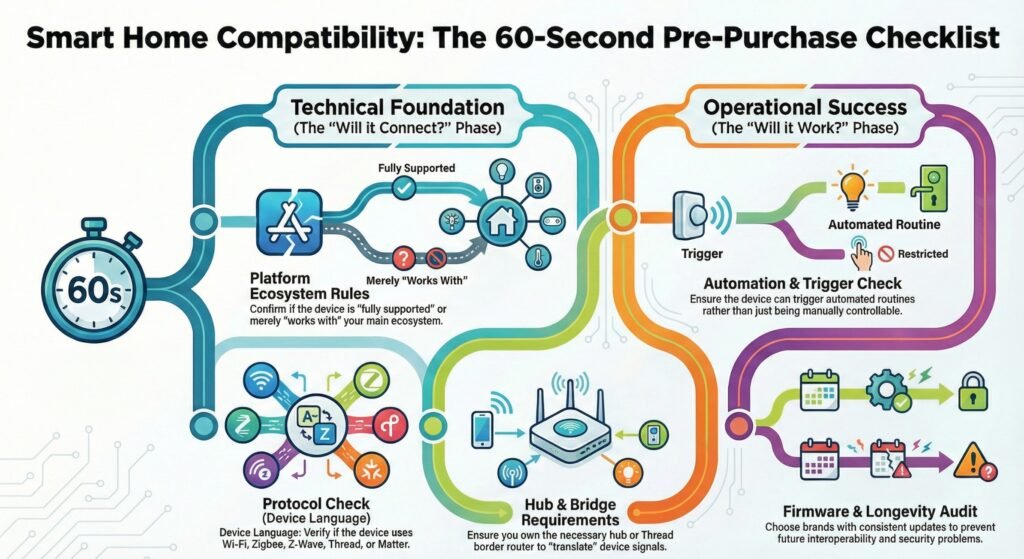
1) Platform check (ecosystem rules)
- Will it fully appear inside your main ecosystem (Alexa / Google Home / HomeKit), or only as “basic on/off”?
- If it’s “works with” but not “fully supported,” expect limits in routines and automations.
2) Protocol check (device language)
- Is it Wi-Fi, Zigbee, Z-Wave, Thread, or Matter?
- If your home uses mixed protocols, confirm you have a hub/bridge that supports both—otherwise devices won’t “talk.”
3) Hub/bridge check (translator availability)
- If it’s Zigbee/Z-Wave, do you already own a compatible hub?
- If it’s Thread/Matter, do you have a Thread border router / Matter controller in your setup?
4) Automation check (real integration, not just control)
- Can it trigger actions (motion → lights) or is it only controllable manually?
- True “devices work together” means triggers + routines work reliably.
5) Updates + longevity check
- Does the brand provide firmware updates consistently?
- Devices that stop receiving updates often create smart home interoperability problems later.
Practical Examples of Compatibility in Action
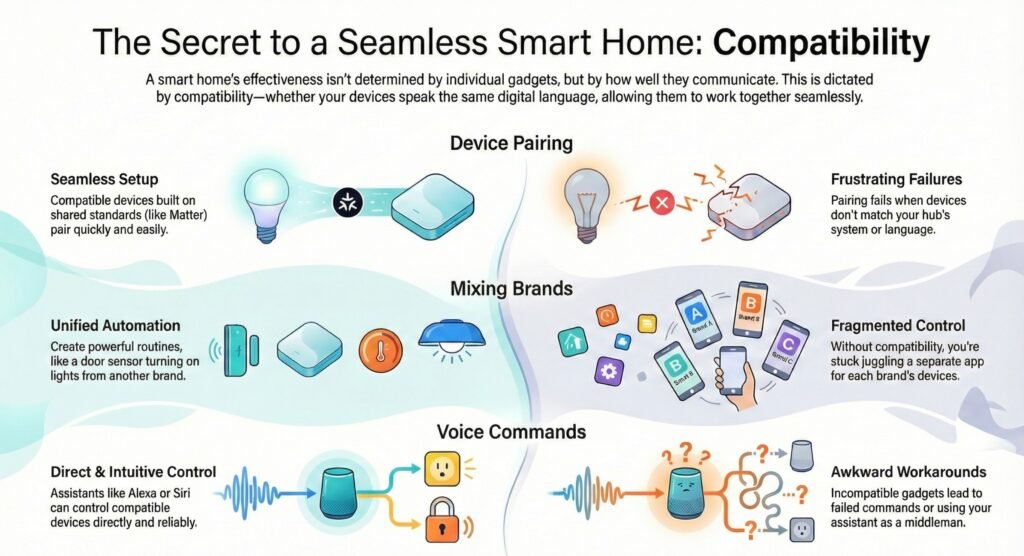
Compatibility isn’t about what’s in the settings—it’s what happens in real life. Here are some examples focused on pairing devices, mixing brands, and using voice assistants in ways that actually matter day to day.
Real Home Example: When “Compatible” Still Breaks
In one setup, a Zigbee motion sensor was added to trigger a Wi-Fi smart camera and hallway lights. The lights worked instantly in routines, but the camera never recorded when motion happened—because the camera only accepted triggers inside its own app. Everything looked “connected,” but the devices didn’t truly work together. Once the automation was moved to a hub that could unify both devices under one ruleset, the routine finally became reliable.
Device Pairing Scenarios
Pairing devices is where you’ll really notice if things are compatible. Say you add a smart bulb to your home app, scan the code, and expect it to just work. That only happens if the bulb supports your hub or app’s system.
Devices built on shared standards usually pair quickly, with fewer steps. The Matter smart home standard explained is helping here—devices can connect across big platforms without extra apps.
If pairing fails, it’s almost always because systems don’t match. The device might need its own hub, a certain app, or a network your house doesn’t have. Compatibility doesn’t mean “smart”—it means your device speaks the same language as the rest of your home.
Mixing Smart Home Devices from Different Brands
Mixing smart home devices from different brands is normal—but compatibility determines whether your setup feels unified or turns into separate islands. A common real-world setup is lights from one brand, locks from another, and sensors from a third. The system can work smoothly, but only when everything connects through the same ecosystem or a hub that can bridge the differences.
If brands support the same platform, you can actually blend them into routines that feel seamless. For example, a door sensor can turn on your lights, even if each part comes from a totally different company.A door sensor and a hallway light can be from different brands and still work reliably—as long as both devices can run inside the same ecosystem rules or the same hub automation layer.
When devices don’t integrate properly, you end up juggling multiple apps, routines become inconsistent, and troubleshooting becomes a weekly habit. Multi-brand smart homes stay smooth when devices share the same ecosystem support—or follow a shared standard and still appear correctly inside routines.
Experience with Voice Commands
Voice assistants are a real compatibility test because they require two things at once: accurate intent (“what you want”) and accurate device targeting (“which device”). If either part fails, the command won’t execute—or it triggers the wrong device, which breaks trust fast.
Alexa, Google Assistant, and Siri rely on device lists, permissions, and consistent platform support. When compatibility is solid, simple commands like “turn off the hallway lights” work instantly without extra wording. When compatibility is partial, voice control still works—but only for basic actions, while routines and advanced controls quietly fail.
When compatibility is weak, voice control becomes a workaround instead of a reliable interface. True compatibility means the assistant can control devices and run automations consistently inside your ecosystem—not just pass a basic command through a brand app.
Limitations and Security Considerations
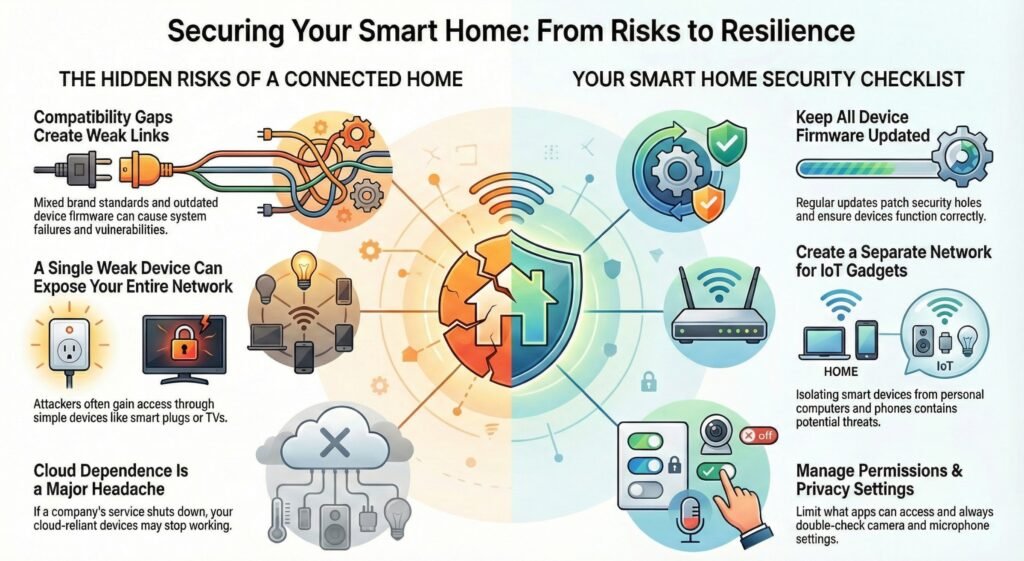
How well your smart devices work together—and how safe they are—depends a lot on compatibility. Problems pop up because of mixed standards, old hardware, or software that blocks full automation. Plus, the more IoT devices you connect, the more you have to think about security and privacy. It’s just the reality.
Potential Barriers to Compatibility
You’ll probably run into issues if your devices use different standards or can’t “speak” to each other. Sometimes a hub connects your lights but can’t reach your sensors, breaking your automations. Older gadgets may not get updates, so features stop working or never show up.
Cloud dependence is another headache. If a company changes its service or pulls the plug, parts of your home setup might just stop working. Local control is better, but not every device offers it.
Your network setup matters, too. Routers, hubs, and bridges can all fail and take down everything with them. Weak security choices make it easier for someone to mess with your system—common smart home security issues like device hijacking or unwanted network access are a real concern.
Common barriers you might notice:
- Different brands using mixed standards
- IoT devices running old firmware
- Cloud-only features that block local automation
- Router or hub limits that affect everything
Privacy and Data Security in Unified Systems
When you tie all your devices into one system, you’re also tying their data together. Voice assistants, cameras, and sensors can collect a lot—audio, video, and how you use them. This brings up real data privacy concerns, especially if your settings aren’t clear or are just too broad.
Unified systems can make risks bigger. If one device is weak, it might expose everything else on your network. Research into smart home cybersecurity risks shows attackers often get in through simple things like smart plugs or TVs. Surprising, right?
Still, you have a lot of control over your own risk. Strong passwords, regular updates, and splitting your IoT devices from personal ones all help. Don’t forget to check what your apps can access. Even basic steps from smart home security tips can keep your automation safe without losing features you like.
Key actions to help protect your setup:
- Keep firmware updated on every device
- Limit what data and apps can access
- Separate IoT gadgets from your personal stuff
- Double-check camera and mic settings
Future Trends in Smart Home Compatibility
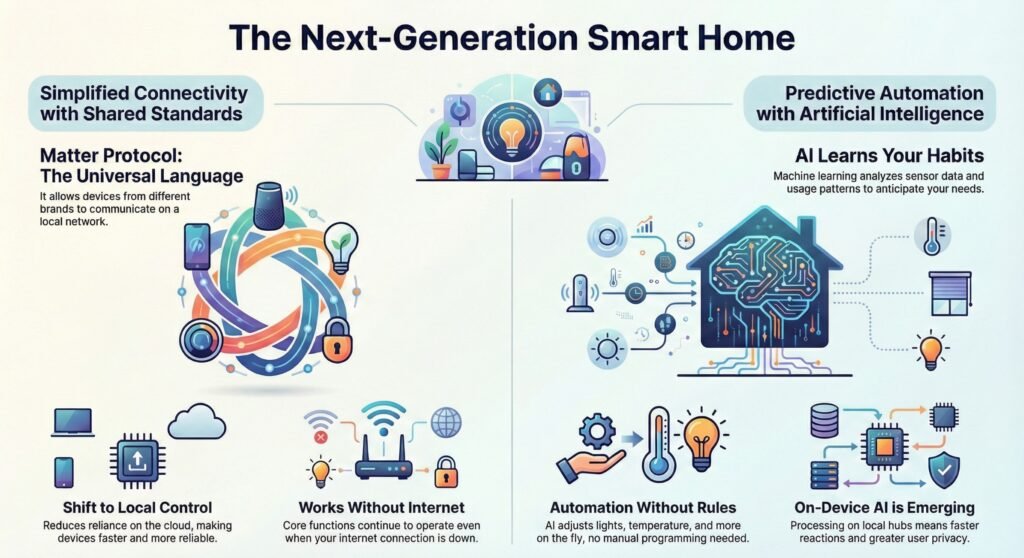
Smart home compatibility is always evolving. We’re seeing more shared standards and smarter systems that actually learn how to work together. New protocols are making setup easier, and software is getting better at adjusting devices over time.
Emerging Standards and Technologies
Shared standards are now the backbone for connecting devices across brands. The Matter protocol is a big deal—it lets lights, locks, sensors, and hubs all talk on the same local network without needing custom bridges. This cuts down on failure points and keeps things running even if your internet goes out. More platforms are jumping on board, as shown in this piece on Matter-based smart home interoperability trends.
The cloud still matters, but compatibility relies less on vendor servers now. Local processing handles day-to-day actions, while the cloud is mostly for updates and remote control. This makes things more reliable and helps older devices stay useful longer—assuming standards don’t change too much.
Role of Artificial Intelligence
AI is starting to make compatibility feel smoother by reducing how many rules you need to manually build. In day-to-day use, that means lights respond more consistently to motion, temperature adjustments feel less ‘on/off,’ and routines adapt to your patterns instead of breaking the moment something changes.
The big shift is simple: more decisions happen locally on a hub instead of bouncing to the cloud. What you’ll notice is faster responses, fewer random delays, and routines that keep working even when your internet is having a bad day.
Smart Home Compatibility Glossary
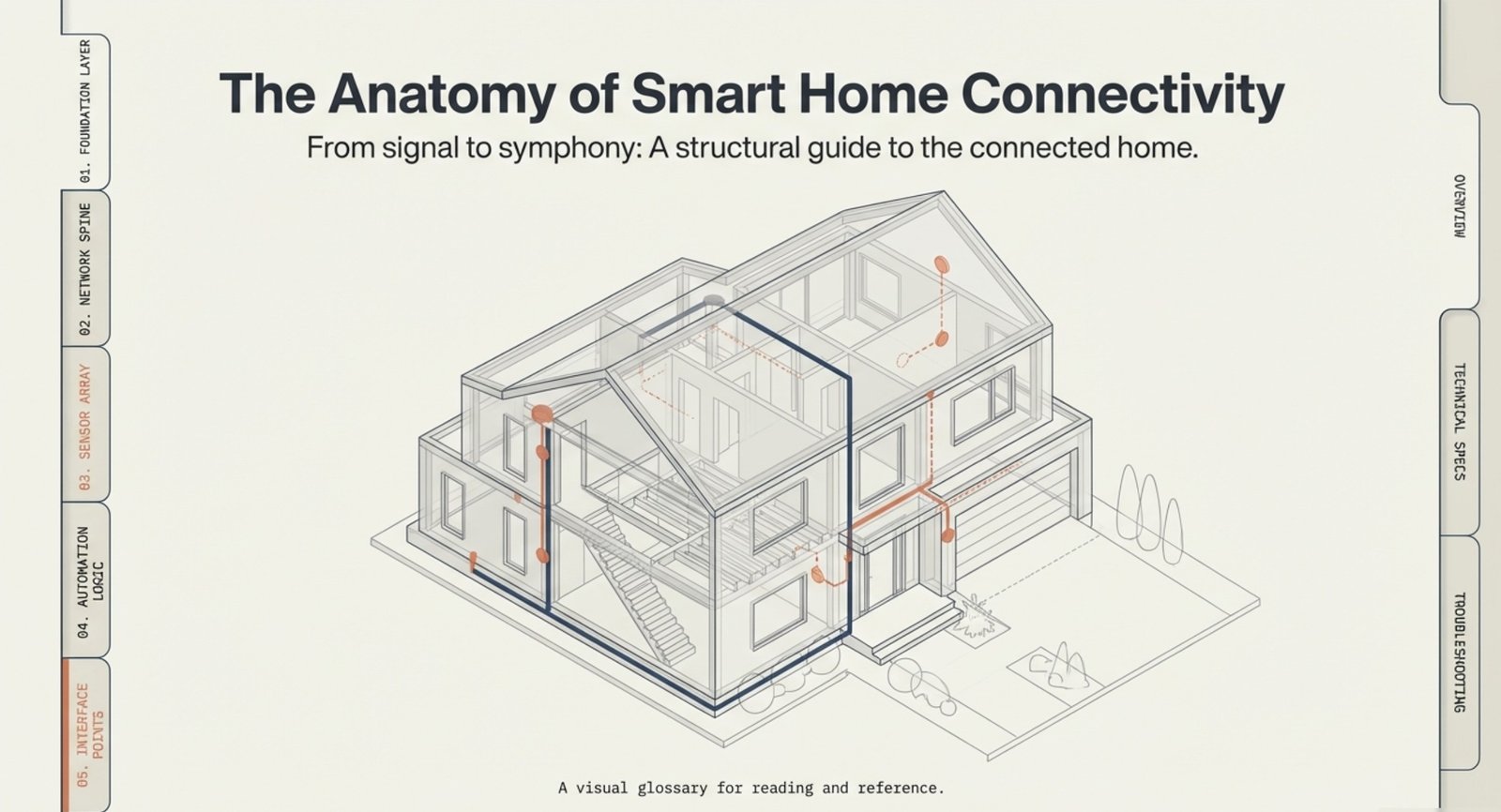
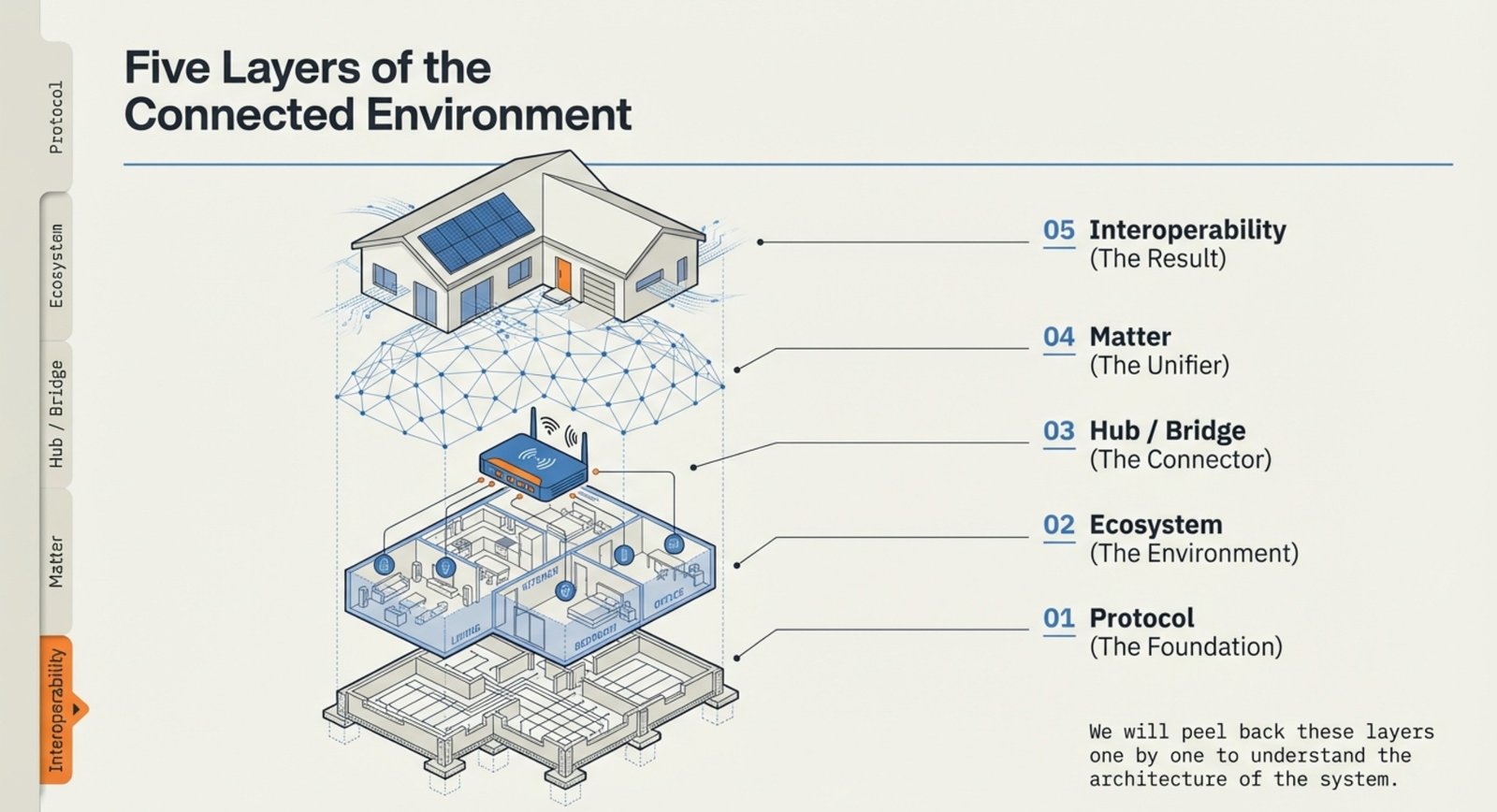
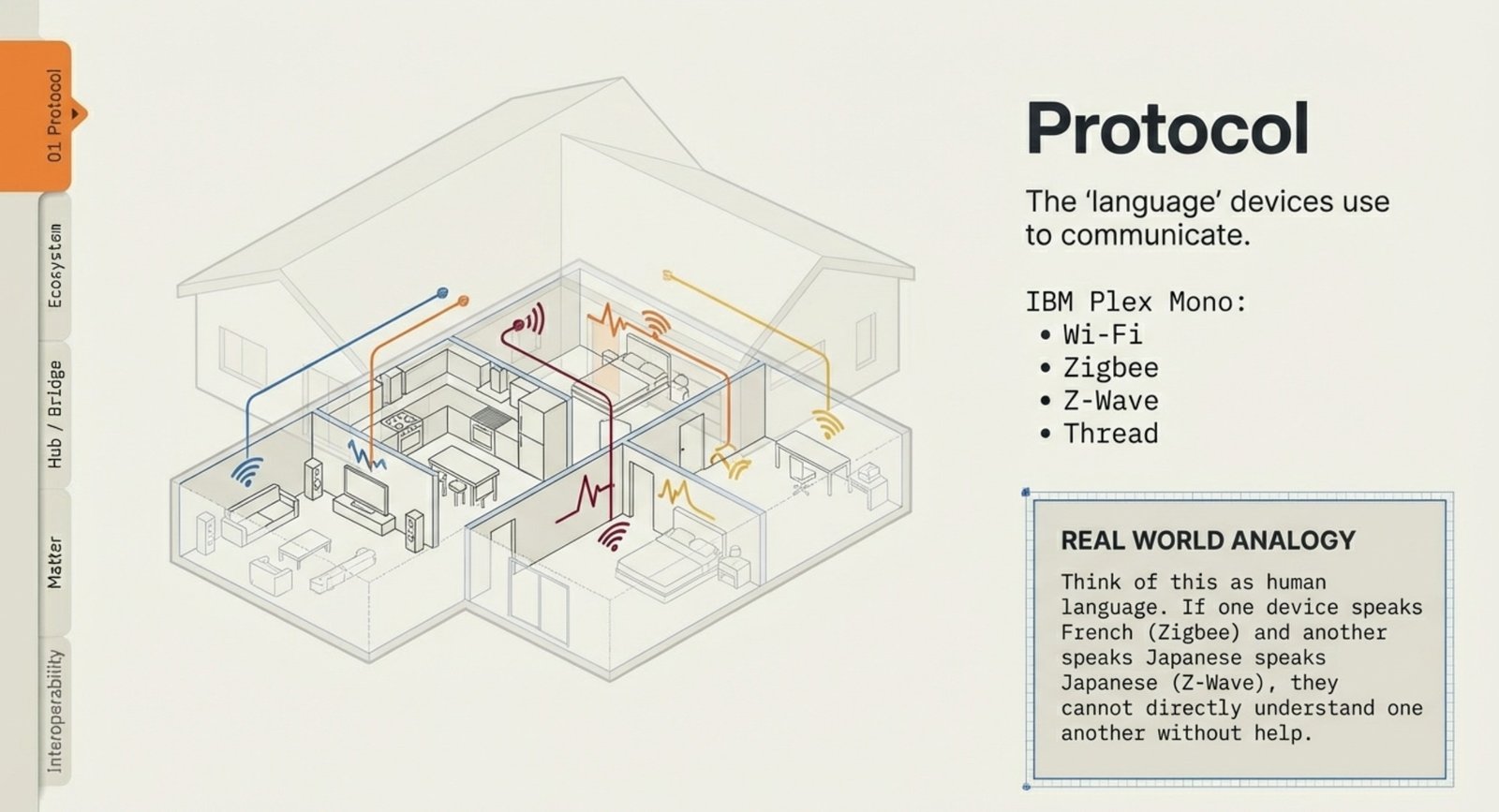
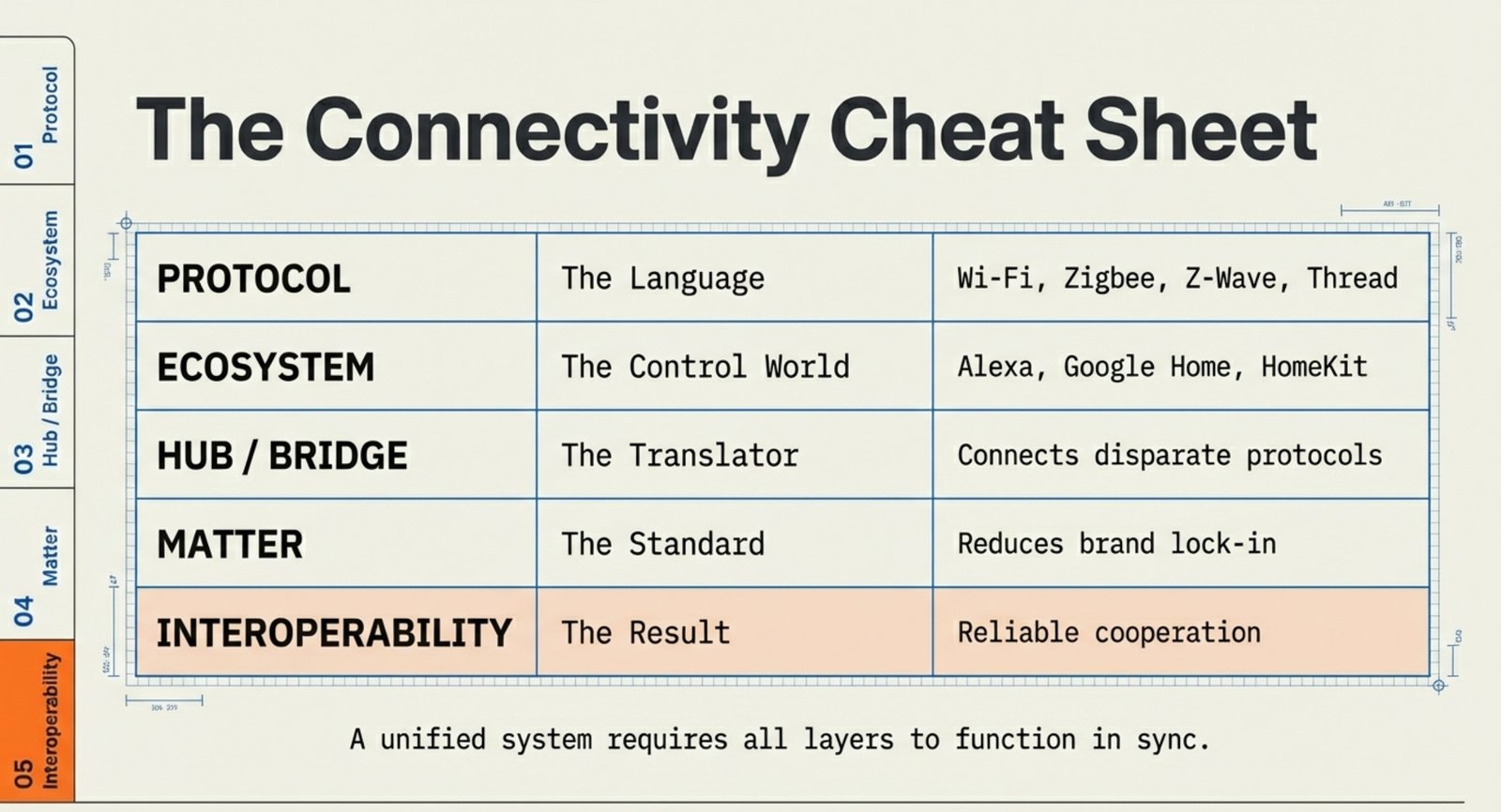
- Protocol: The “language” devices use to communicate (Wi-Fi, Zigbee, Z-Wave, Thread).
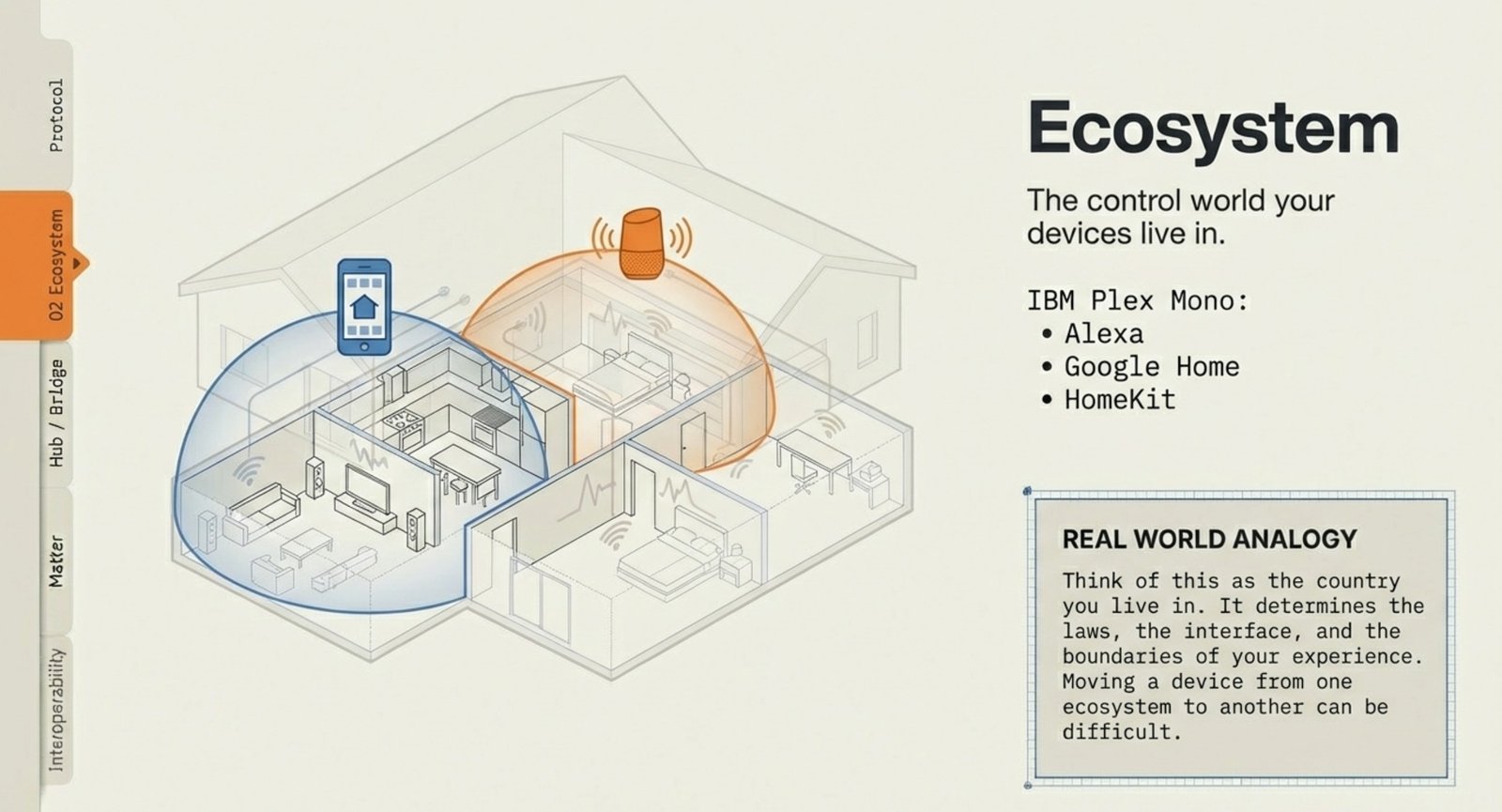
- Ecosystem: The control world your devices live in (Alexa, Google Home, HomeKit).
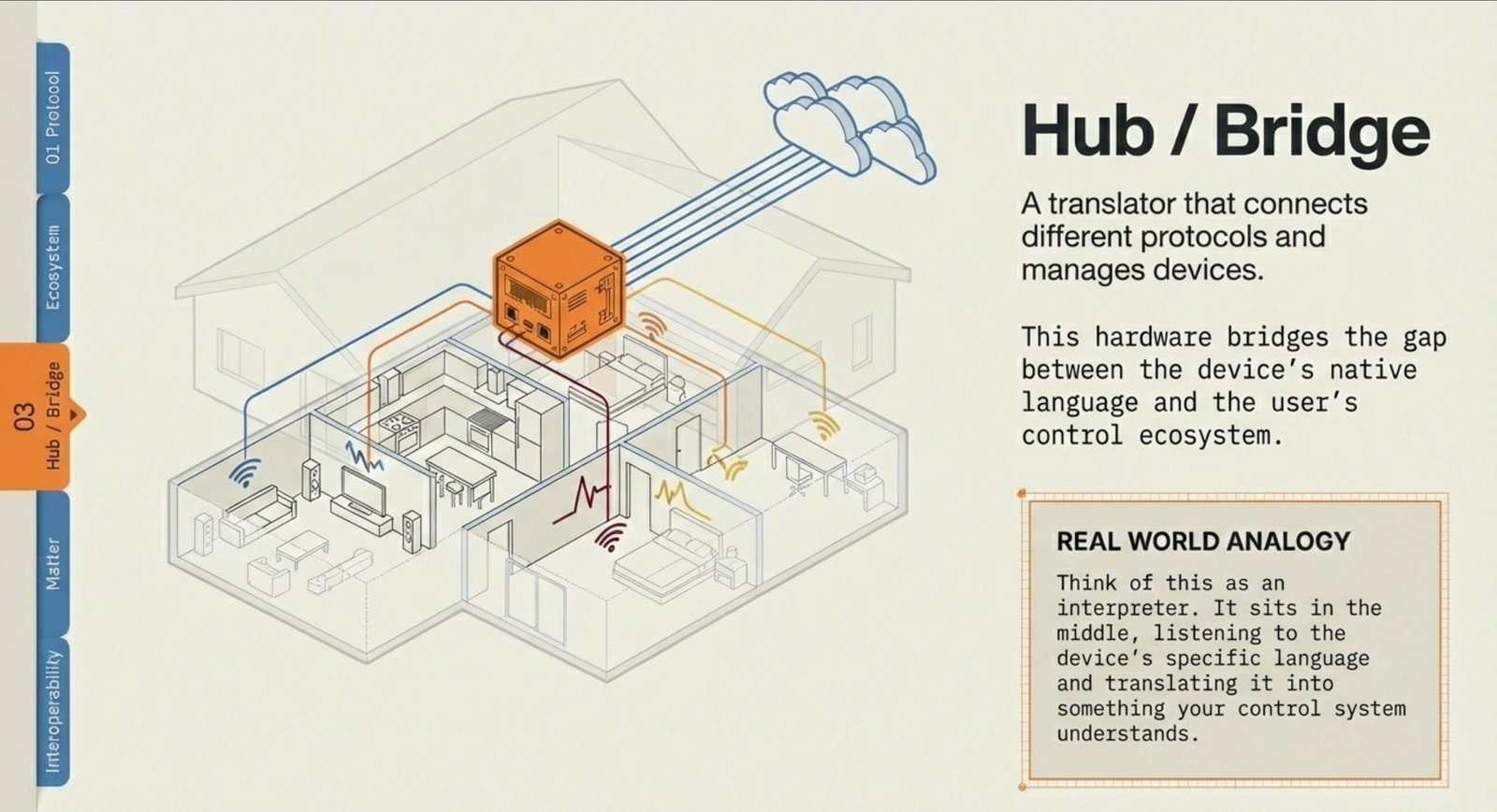
- Hub / Bridge: A translator that connects different protocols and manages devices.
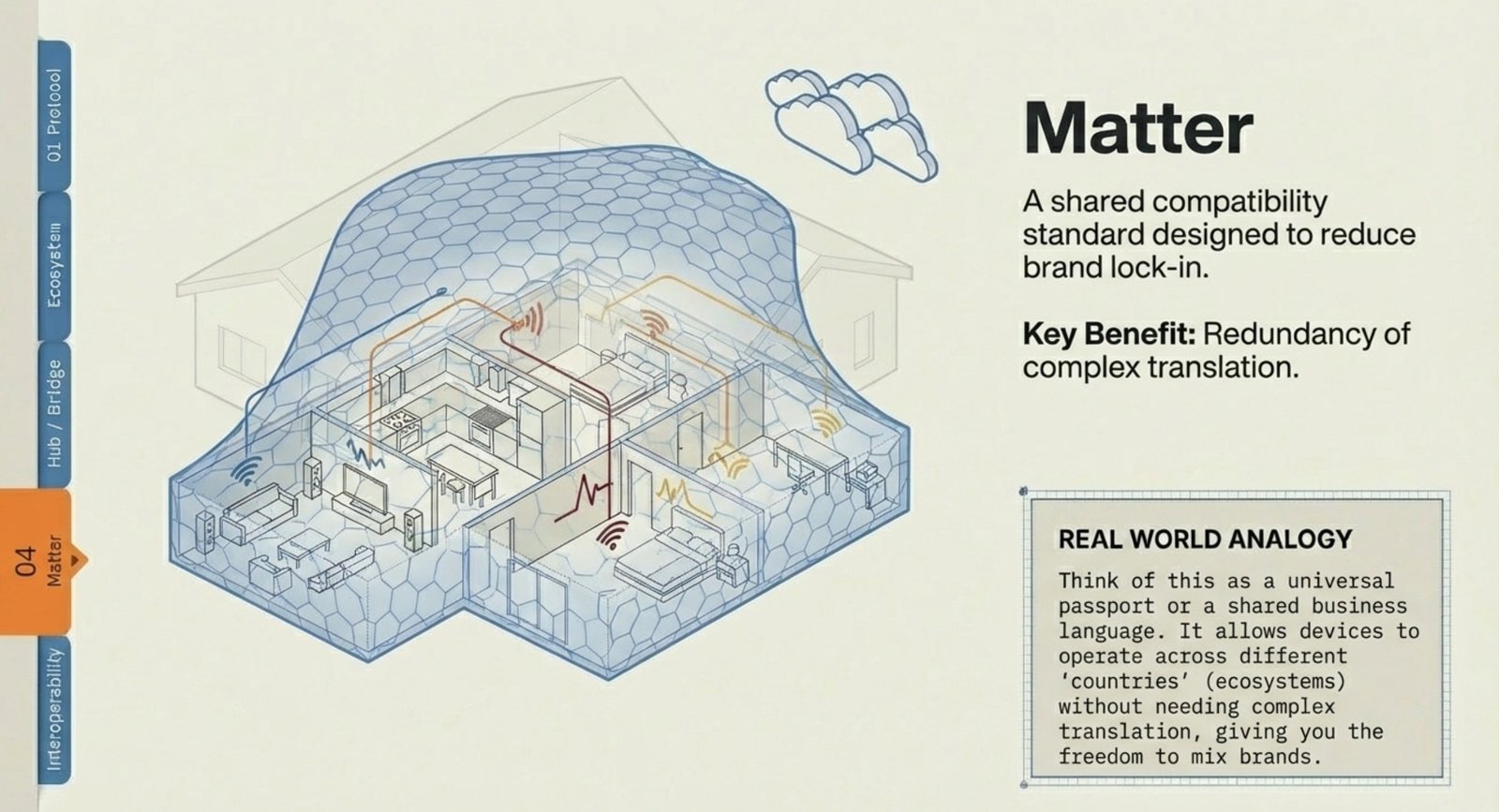
- Matter: A shared compatibility standard designed to reduce brand lock-in.
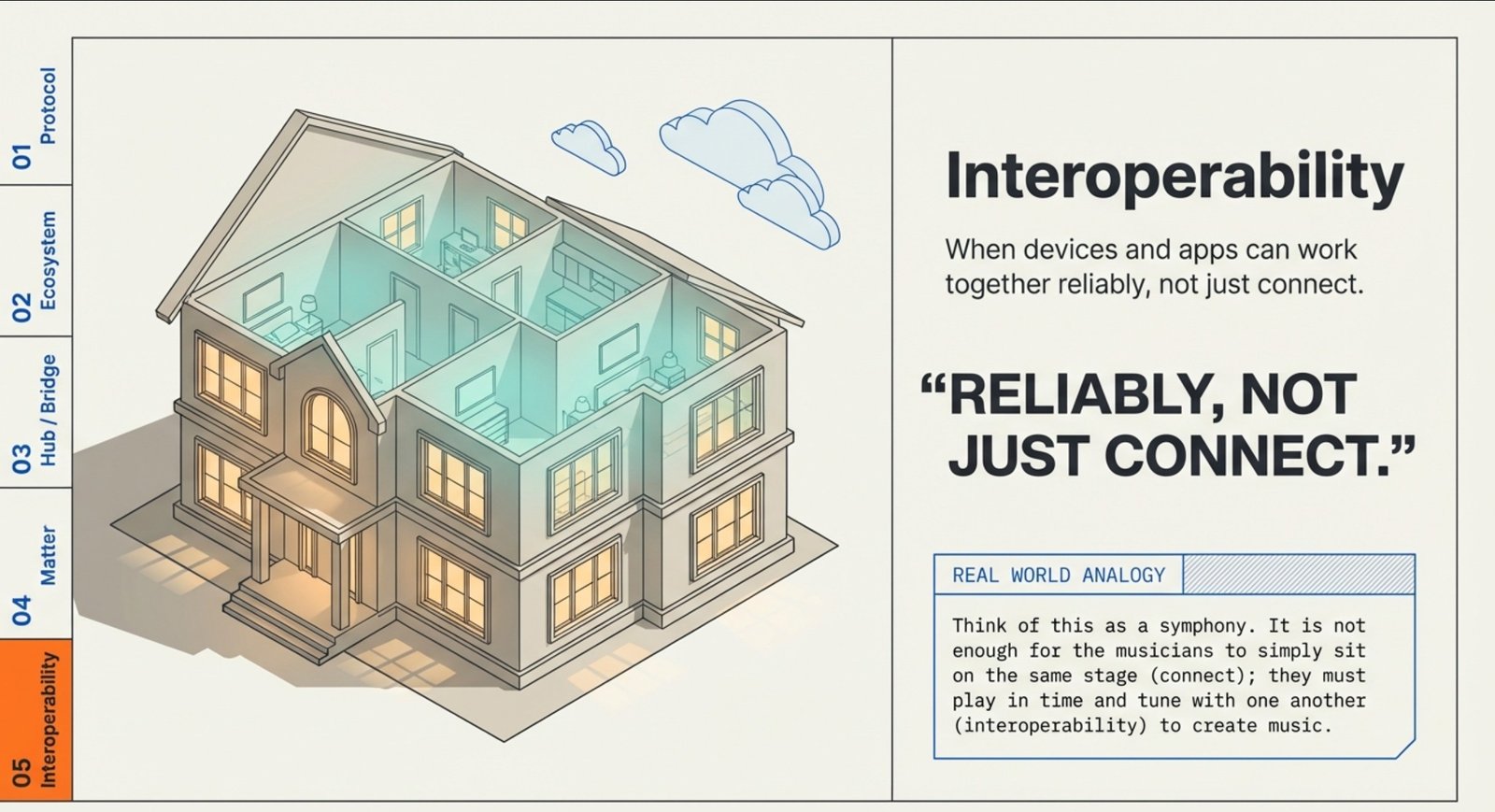
- Interoperability: When devices and apps can work together reliably, not just connect.
Smart Home Devices Working Together: Quick Answers
Q1) What does “compatible” really mean on the box?
Usually it means the device can connect somehow—not that it will support full automations, triggers, or deep routines inside your ecosystem. True compatibility means devices can communicate, appear correctly in your platform, and work consistently in routines.
Q2) Why do smart home devices fail to work together even after setup?
Because “connected” isn’t the same as “integrated.” Most failures come from protocol mismatch, ecosystem restrictions, missing hubs/bridges, or software updates that change permissions and break routines.
Q3) Do I always need a hub for a smart home setup?
Not always. Wi-Fi devices can work without a hub, but multi-device automation becomes harder as you mix brands. A hub becomes important when you use Zigbee/Z-Wave/Thread devices or want smoother cross-brand coordination and reliability.
Q4) Can I mix smart home devices from different brands safely?
Yes—if you choose a main ecosystem and stick to compatible device types within it. Mixing brands works best when devices support the same platform well, or when a hub helps unify different protocols.
Q5) What’s the difference between Matter and a normal “Works with Alexa” label?
“Works with Alexa” can mean basic voice control only. Matter is designed to improve cross-brand interoperability across platforms—but device support still varies, and not every feature is guaranteed across every ecosystem.
Q6) Why does my device work in its own app but not inside routines?
That usually means the ecosystem can’t fully access the device’s features. Some devices expose basic controls but block triggers, automation states, or advanced actions—creating classic interoperability headaches.
Q7) What causes devices to go offline randomly in a smart home?
Most “offline” issues come from weak signal coverage, router overload, 2.4GHz congestion, hub placement, or devices that rely heavily on cloud services. Reliability improves when the network and protocol match the device’s needs.
Q8) How do I avoid compatibility problems before buying new devices?
Pick one ecosystem to center your setup, confirm the device protocol (Wi-Fi/Zigbee/Z-Wave/Thread/Matter), ensure you have the right hub/bridge if needed, and check that the device supports the automation features you actually want—not just basic control.