As an Amazon Associate, we may earn a commission if you make a purchase — at no extra cost to you.
Smart Home Upgrades in 2026 That Actually Make Sense for Real Homes
Smart homes are easier to build than ever—but smart home upgrades in 2026 are also easier to get wrong if you buy without a plan. With new standards, shifting platforms, and hundreds of devices claiming to be “future-proof,” many homeowners are unsure which smart home upgrades in 2026 are actually worth buying and which ones quietly create headaches later.

This smart home buying guide shows which smart home upgrades in 2026 are actually worth your money—and which ones turn into annoying “smart home headaches.”
You’ll get a simple path: pick a platform, choose the best smart home upgrades to buy, and build a setup that stays reliable as standards change. If you’re new, I’ll point out the best smart home devices for beginners and the quick checks that prevent compatibility regret.
Key Takeaways
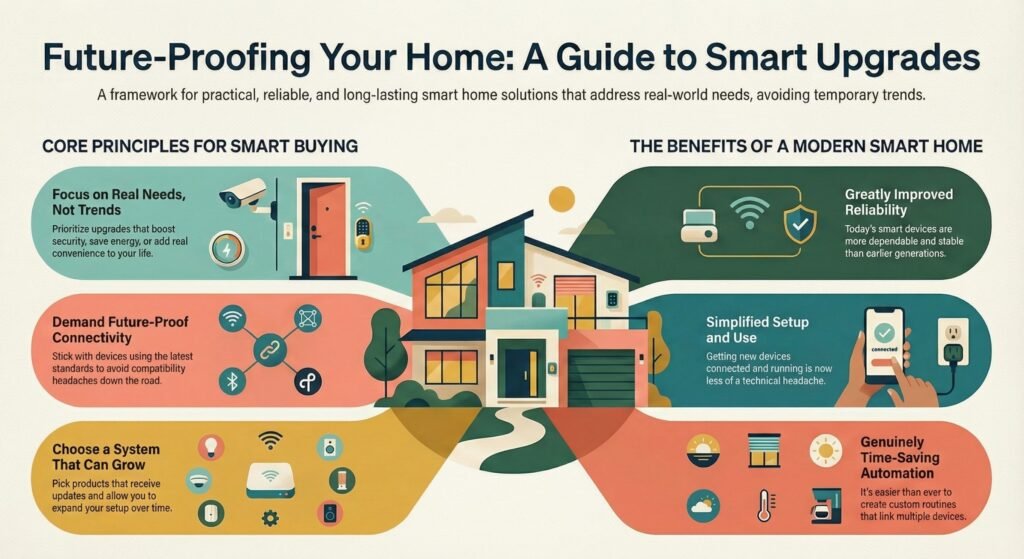
- Stick with devices that use the latest connectivity standards so you avoid compatibility headaches
- Upgrade based on your real needs—security, energy savings, convenience—not just what’s trending
- Pick products that get updates and can grow with you, so you don’t have to start over in a year
What This Smart Home Buying Guide Helps You Decide in 2026
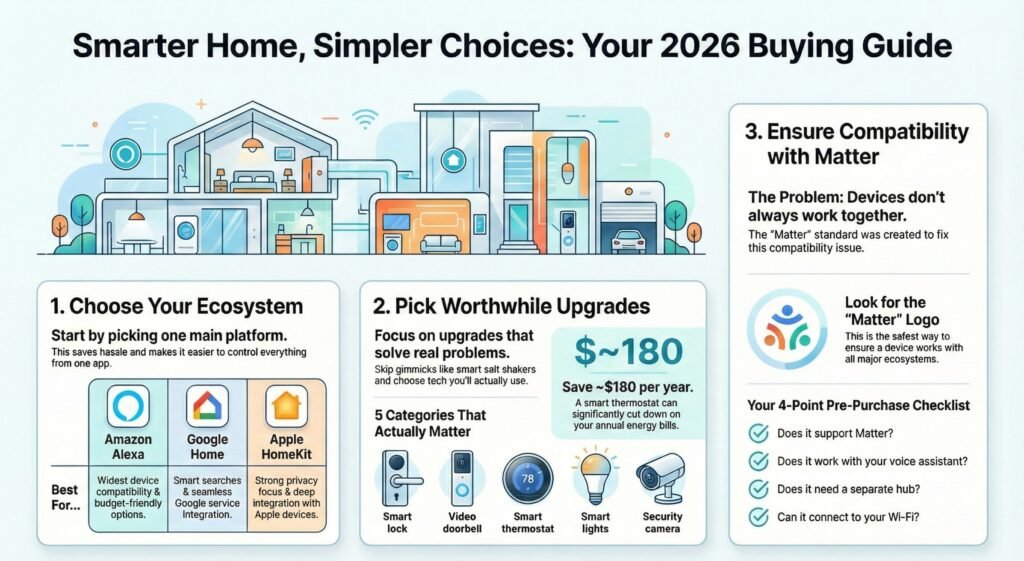
In 2026, it’s time to decide which smart home upgrades in 2026 actually make sense for your space, budget, and daily routine. This guide helps you pick an ecosystem, choose the best smart home upgrades to buy, and keep everything working together—without the usual mess.
Choosing the Right Smart Home Ecosystem in 2026
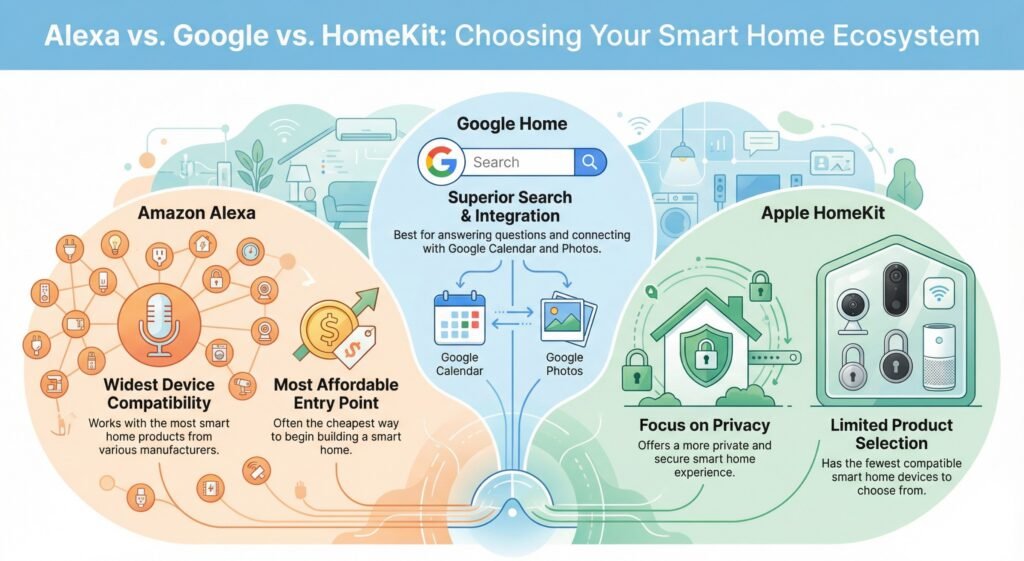
This is the big one. Amazon Alexa, Google Home, and Apple HomeKit are the main smart home ecosystems.
All three let you control stuff with your voice or an app. Alexa works with the most stuff and is usually the cheapest way to start. Google Home is better for search and ties in with things like Google Calendar and Photos. Apple HomeKit is more private, but you’ll have fewer products to choose from.
You’re not locked in forever, but choosing one main platform is the core of any smart home ecosystem buying guide—and it saves a lot of hassle. Before you buy more smart home upgrades, check what you already own and what it works with. If you’re an iPhone person who cares about privacy, HomeKit is probably your best bet. If you want more options and lower prices, Alexa is hard to beat.
Quick truth: a “smart home” isn’t smart if it needs three apps to do one simple thing.
Best Smart Home Upgrades to Buy in 2026
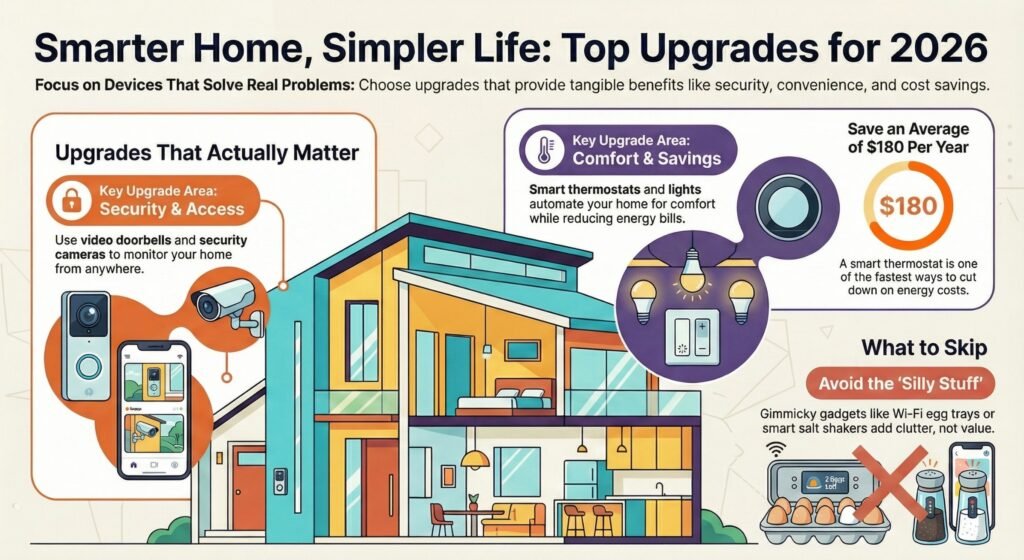
Not every gadget is worth it—these are the smart home upgrades worth it for most homes in 2026. Focus on the best smart home upgrades to buy that solve real problems and make daily life easier.
Categories that actually matter:
- Smart locks (keyless entry—so much easier)
- Video doorbells (see who’s at the door, even when you’re out)
- Smart thermostats (cut down on your energy bills)
- Smart lights (set schedules, change moods, save power)
- Security cameras (keep an eye on things, inside or out)
Start with one or two categories that solve your biggest headache. A smart thermostat could save you $180 a year. Video doorbells? Great for stopping package thieves. These are upgrades you’ll actually notice.
Skip the silly stuff—like smart salt shakers or Wi-Fi egg trays. They just add clutter and confusion.
If an upgrade doesn’t save time, save money, or reduce stress within the first week, it’s usually not worth keeping.
Matter Compatibility and Standards You Should Understand in 2026
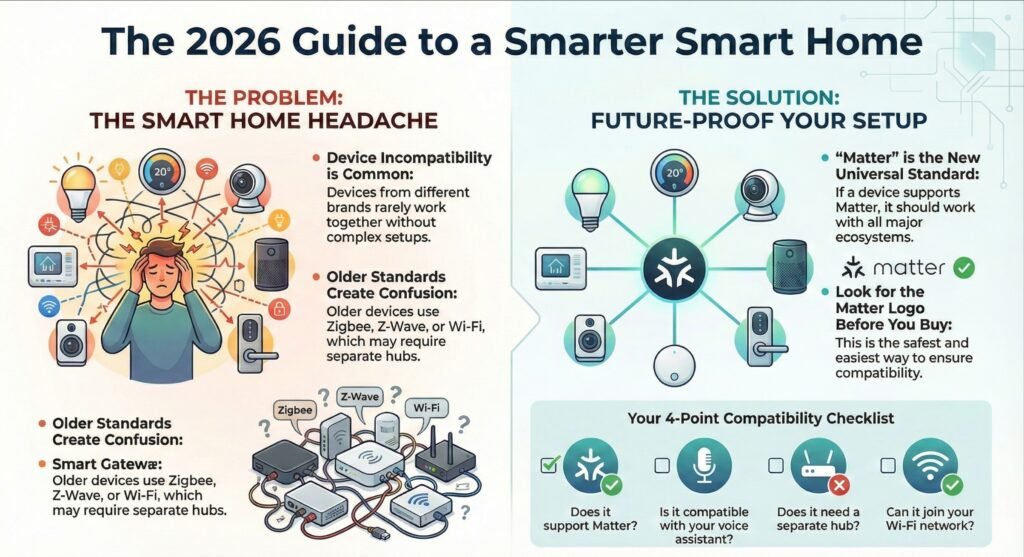
Most smart home frustration comes from one thing: devices that don’t play nicely together.
In 2026, matter compatible smart home devices are the safest shortcut for mixed-brand homes. If you see the Matter logo, it’s designed to work across the big platforms (Alexa / Google Home / Apple Home) without weird workarounds.
Before buying, do a quick check: Matter support or confirmed compatibility with your platform. Older Wi-Fi / Zigbee / Z-Wave gear can still work—but it’s where surprise “extra hub” problems usually start.
Quick compatibility checklist:
- Does it support Matter?
- Is it compatible with your voice assistant?
- Does it need a separate hub?
- Can it join your Wi-Fi network?
Buying the right gear now is how you get future proof smart home upgrades you won’t have to replace later.
Quick Answer: Smart Home Upgrades Worth It in 2026
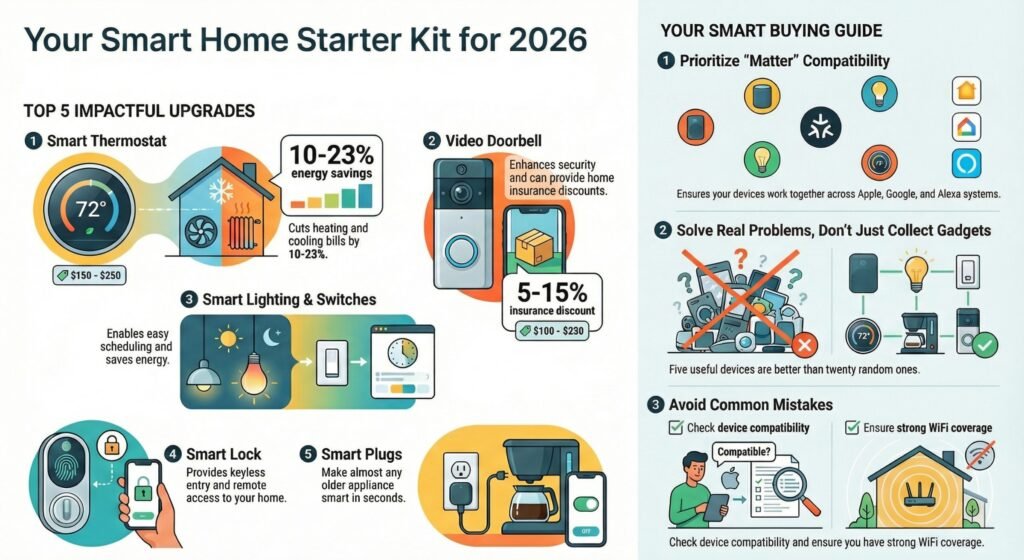
The best smart home upgrades in 2026 are the ones that save energy, boost security, and work across platforms without constant troubleshooting. Go for devices that save energy, boost security, and work across different platforms. Start with a smart thermostat, a video doorbell, and smart lighting. These pay for themselves with energy savings or discounts on your home insurance.
Top upgrades for most people:
- Smart thermostat (cuts 10-23% off heating/cooling bills)
- Video doorbell (see who’s at the door and watch for packages)
- Smart lights or switches (easy schedules and energy savings)
- Smart lock (no more keys, remote access too)
- Smart plugs (make old devices smart in seconds)
Quick rule: if you want future proof smart home upgrades, lean toward matter compatible smart home devices so you’re not locked into one platform forever.
Plan on spending $300-800 for the basics that actually change daily life. A smart thermostat runs $150-250 but could save you $20-40 a month on energy. Video doorbells cost $100-250 and might even get you a 5-15% insurance discount.
Common mistakes to avoid:
- Buying random stuff without checking if it all works together
- Going for the cheapest thing, then replacing it in a year
- Forgetting about WiFi—make sure you’ve got strong coverage everywhere
- Most “device problems” are actually Wi-Fi problems wearing a smart-home costume.
Don’t try to automate everything. Solve real problems in your routine. Five good devices beat twenty random ones every time.
Starter Plans by Budget (What to Buy First)
If you only do $100–$200:
- Smart speaker (or mini) + 2 smart plugs
- 2–4 smart bulbs for your most-used room
Result: instant voice control + daily convenience
If you can do $300–$600:
- Smart speaker + smart lighting + video doorbell
Result: convenience + security without complexity
If you can do $600–$900:
- Add a smart thermostat (or upgrade Wi-Fi coverage first if needed)
Result: comfort + long-term savings + fewer “device dropouts”
Smart Home Upgrade Checklist for 2026 Buyers
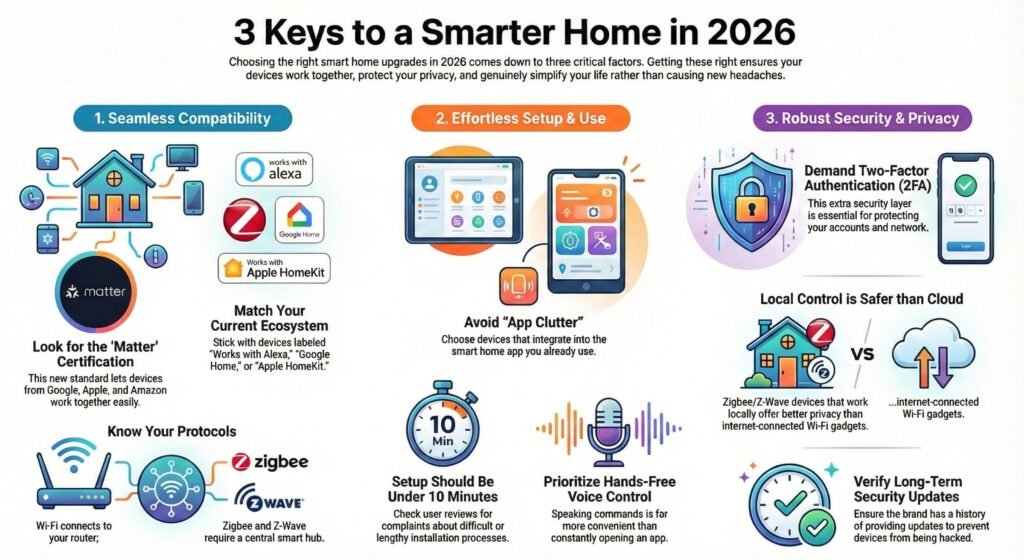
Three things decide whether your smart home upgrades in 2026 feel smooth—or turn into a constant headache. Get these right, and your devices will talk to each other, stay safe, and actually make life easier.
Compatibility With Your Existing Smart Home Devices (Don’t Skip This)
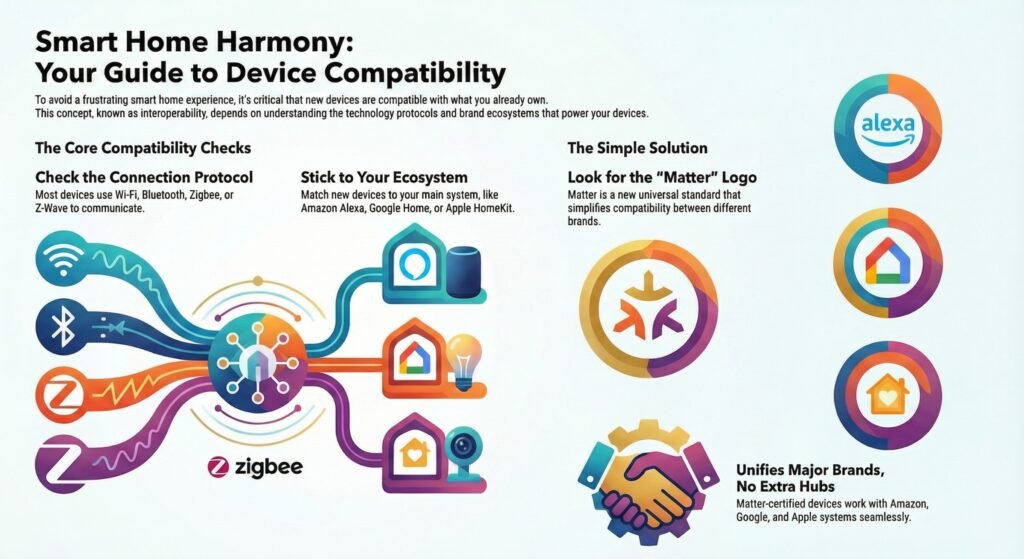
Your new smart home upgrades have to work with what you already own, or the whole setup becomes frustrating fast. This is called interoperability, and honestly, it’s where most upgrades flop.
Most devices use one of four main protocols: Wi-Fi, Bluetooth, Zigbee, or Z-Wave. Wi-Fi devices connect straight to your router. Bluetooth pairs with your phone but doesn’t go far. Zigbee and Z-Wave need a smart home hub to work right.
Before you buy, check what ecosystem you’re on. If you have an Echo, stick with Alexa-compatible stuff. Google Nest? Look for Google Home support. Apple? You’ll want HomeKit devices.
The new Matter standard makes it way easier for different brands to work together. If you see Matter certification, it should play nicely with Amazon, Google, and Apple—no extra hubs needed. That’s a big relief compared to the mess of earlier smart home gear.
Ease of Setup for Beginners (So It Doesn’t Become a Project)
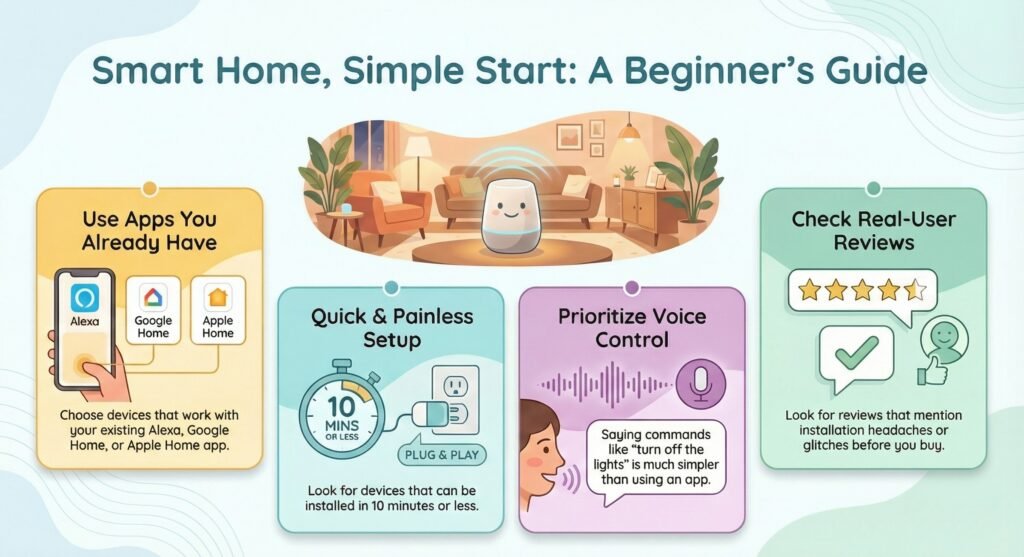
If a device takes an hour to set up or keeps glitching, it’s not one of the best smart home devices for beginners. The user experience should feel simple from the start.
Look for products that use a smart home app you already have. Adding yet another app just makes things messier. The best upgrades fit right into your existing Alexa, Google Home, or Apple Home app.
Setup should be quick—like 10 minutes, tops. Check reviews for mentions of install headaches. Amazon’s smart displays and speakers usually get high marks for being easy to use.
Don’t underestimate voice control. Saying “turn off the lights” is just way better than digging through an app every time.
Security and Privacy Safeguards That Matter in 2026 (Simple Rules)
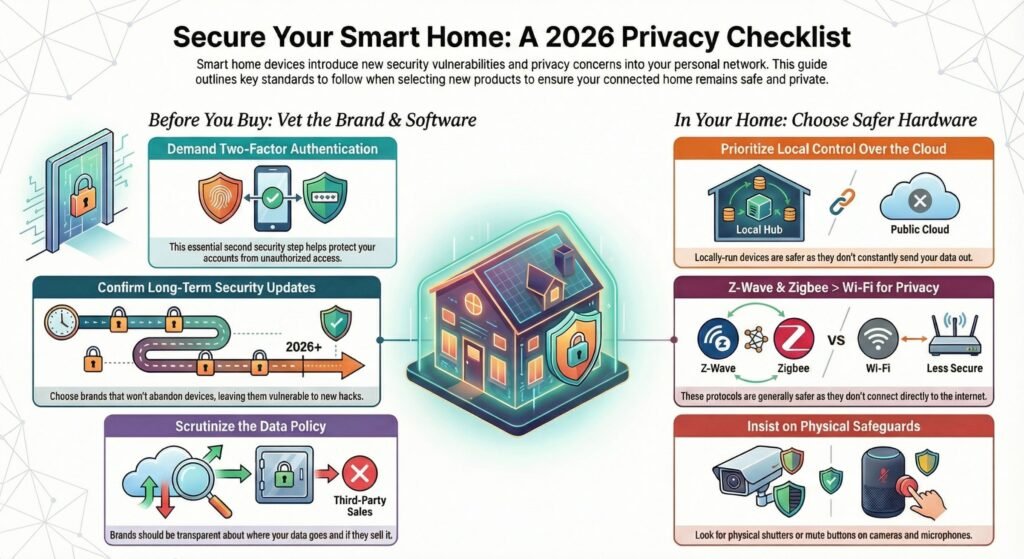
Smart home gear opens up new ways for people (and companies) to get into your network. Privacy concerns are real—and getting more important.
Go for devices with two-factor authentication in their apps. That second security step is worth it. Brands should tell you where your data goes and if they’re selling it.
Devices that work locally, without always calling home to the cloud, are safer. They don’t send your data to company servers every time you flip a switch. Z-Wave and Zigbee are usually better for privacy than Wi-Fi since they don’t talk directly to the internet.
For future proof smart home upgrades, check that the brand keeps sending security updates and doesn’t abandon devices after a year or two. Products that get abandoned are just waiting to be hacked. Security protocols are a bigger deal than ever for buyers.
Skip cameras and mics in private spots unless you really need them. If you do get them, make sure there’s a physical shutter or mute button that actually turns them off.
Best Smart Home Devices Compared for Long-Term Value
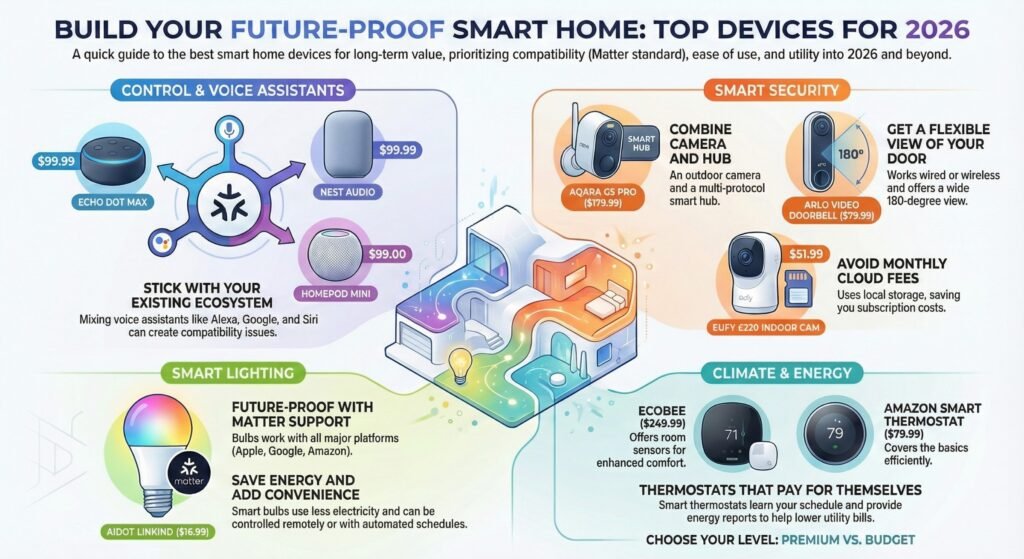
Here are top picks that match the best smart home upgrades to buy for 2026 and beyond—based on ease of use, compatibility, and long-term value. Each one hits a different part of your home’s automation needs.
Top Smart Speakers and Voice Assistants
The Amazon Echo Dot Max gives you solid sound and full Alexa support for $99.99. It’s a great hub for controlling lights, locks, and thermostats with your voice.
If you’re more into Google, the Google Nest Audio does the job at the same price. It works especially well if you’re already using Android and Google services.
Apple fans should look at the HomePod mini for $99. It’s made for HomeKit and uses Siri for voice control. The Sonos Era 100 supports Alexa but not Google or Siri, so it’s best if you’re sticking with Amazon’s system.
Your best bet? Stick with the voice assistant you already use on your phone. Mixing ecosystems is just begging for trouble.
Leading Security Devices
The Aqara Camera Hub G5 Pro is a standout at $179.99. It’s not just a high-res outdoor camera—it also doubles as a hub for Matter, Thread, and Zigbee devices. If you’re thinking about growing your smart home, this combo saves you cash and hassle.
For video doorbells, the Arlo Video Doorbell is pretty versatile. It works wired or wireless, gives you a wide 180-degree view in 2K, and costs just $79.99. Even if you miss the doorbell, it still records visitors.
The Ultraloq Bolt Fingerprint smart lock is flexible—you can unlock with your fingerprint, keypad, app, voice, or a regular key. It even supports HomeKit. If your phone dies, you’re not stuck outside. That’s a relief.
For inside the house, the Eufy E220 Indoor Cam is a solid pick at $51.99. It has local storage, so you’re not locked into another monthly cloud fee.
Recommended Smart Lighting Solutions
The AiDot Linkind Matter Smart Light Bulb is just $16.99 and works with Alexa, Google Assistant, Apple HomeKit, and SmartThings. With Matter support, you won’t have to worry about it going obsolete when tech standards change again.
These bulbs can show 16 million colors and all sorts of white tones. Set schedules so lights turn on before you get home or dim themselves at bedtime. Handy, right?
Smart bulbs use way less electricity than old-school incandescent bulbs and last much longer. Sure, you pay more upfront, but you’ll notice the savings on your energy bill. Plus, you can control them from your phone or just ask your voice assistant—no more running around flipping switches.
Best to start with bulbs in the rooms you use most. No need to swap every light at once. Take it slow.
Best for Climate and Energy Control
The Ecobee Smart Thermostat Premium is $249.99 and comes with a remote sensor. That way, it keeps different rooms comfy, not just the hallway where the thermostat sits.
It learns your schedule and tweaks the heating and cooling for you. If you forget to set it before leaving, just adjust it from your phone. Easy.
The Amazon Smart Thermostat is more basic at $79.99. No remote sensor, but you still get scheduling and remote control. Not a bad pick if you’re watching your budget.
Both show you energy reports, so you can spot which settings are costing you. Most people see their utility bills drop in the first year.
Comparison Table (Specs That Matter)
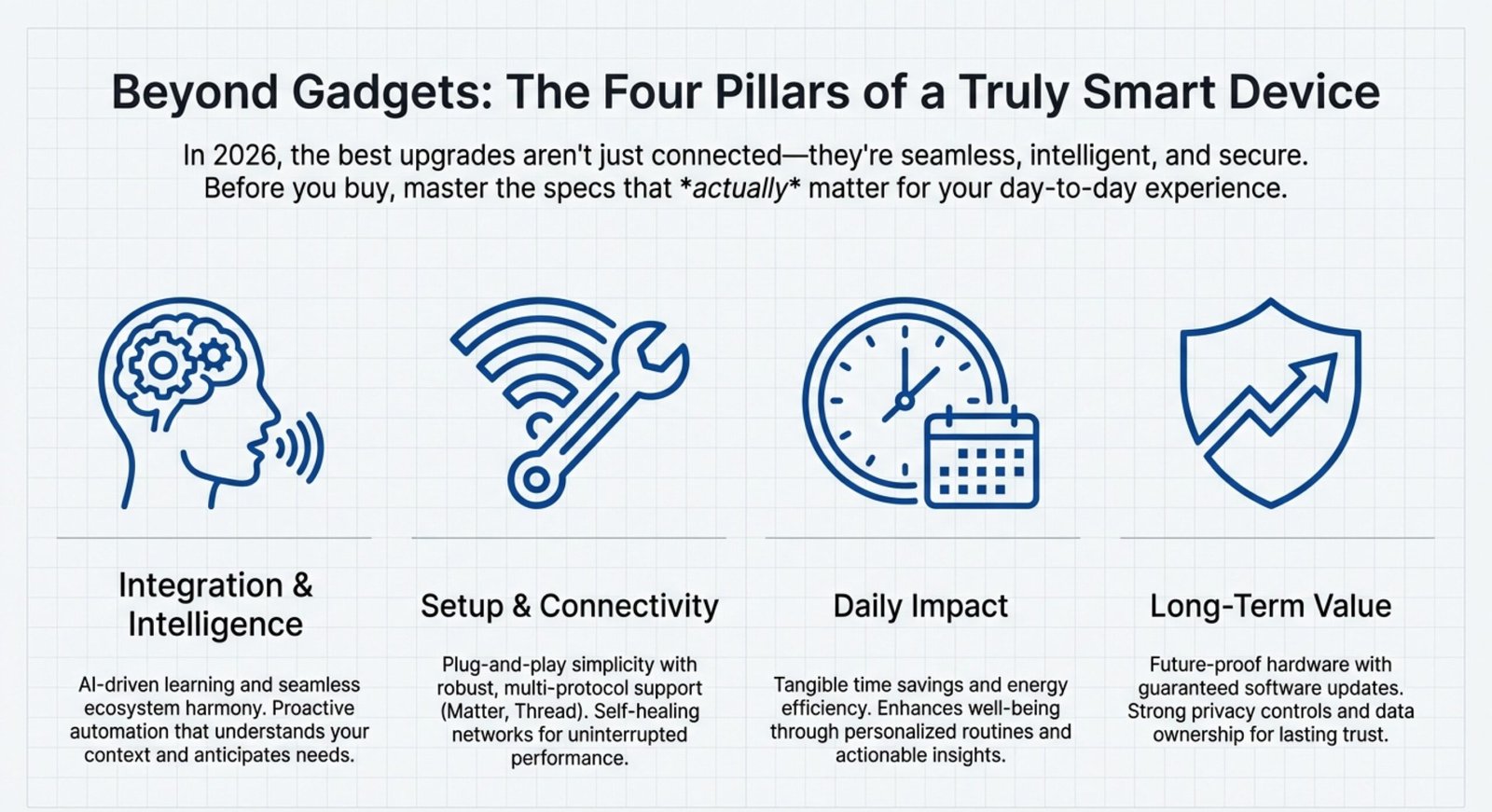
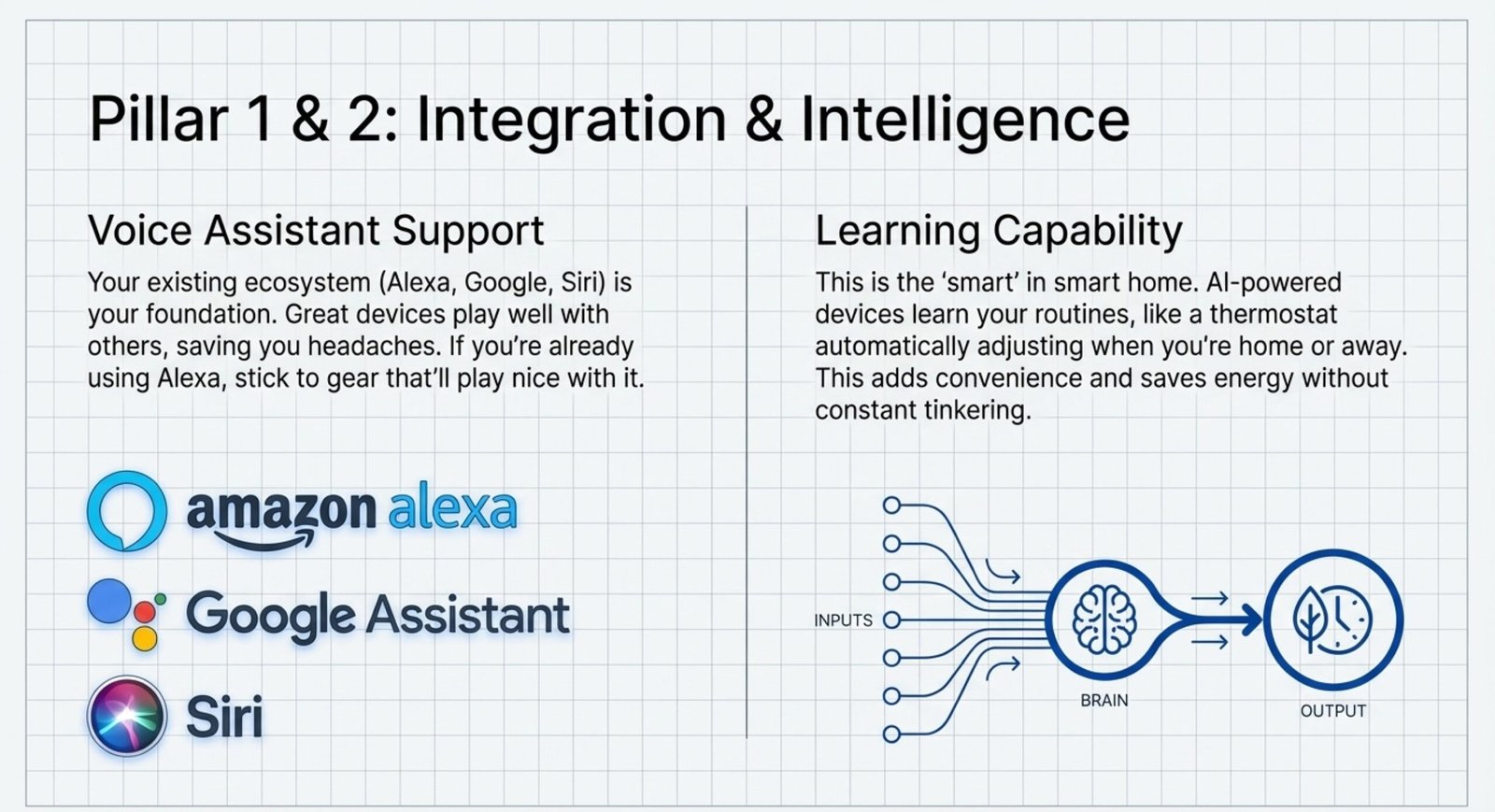
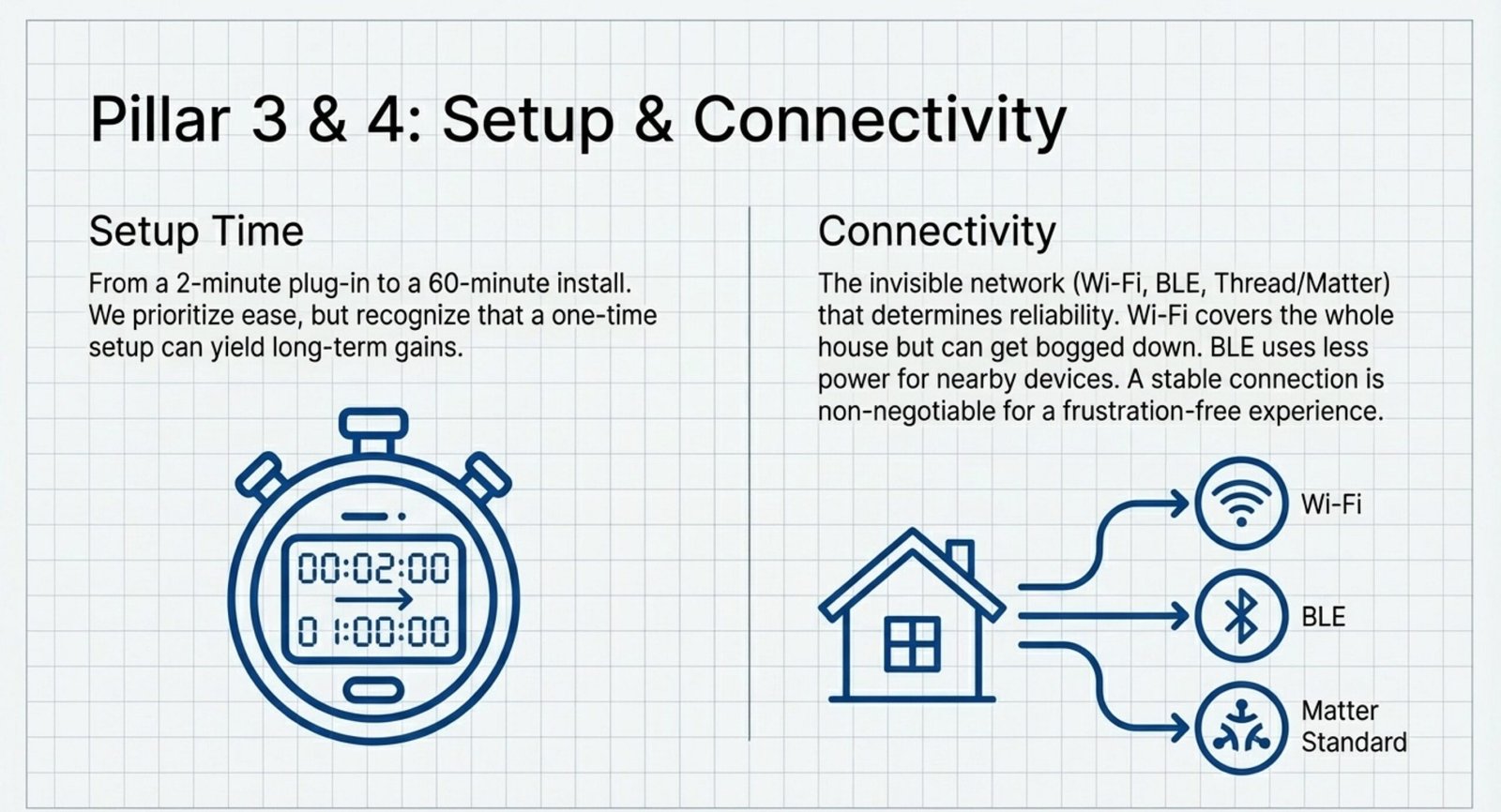
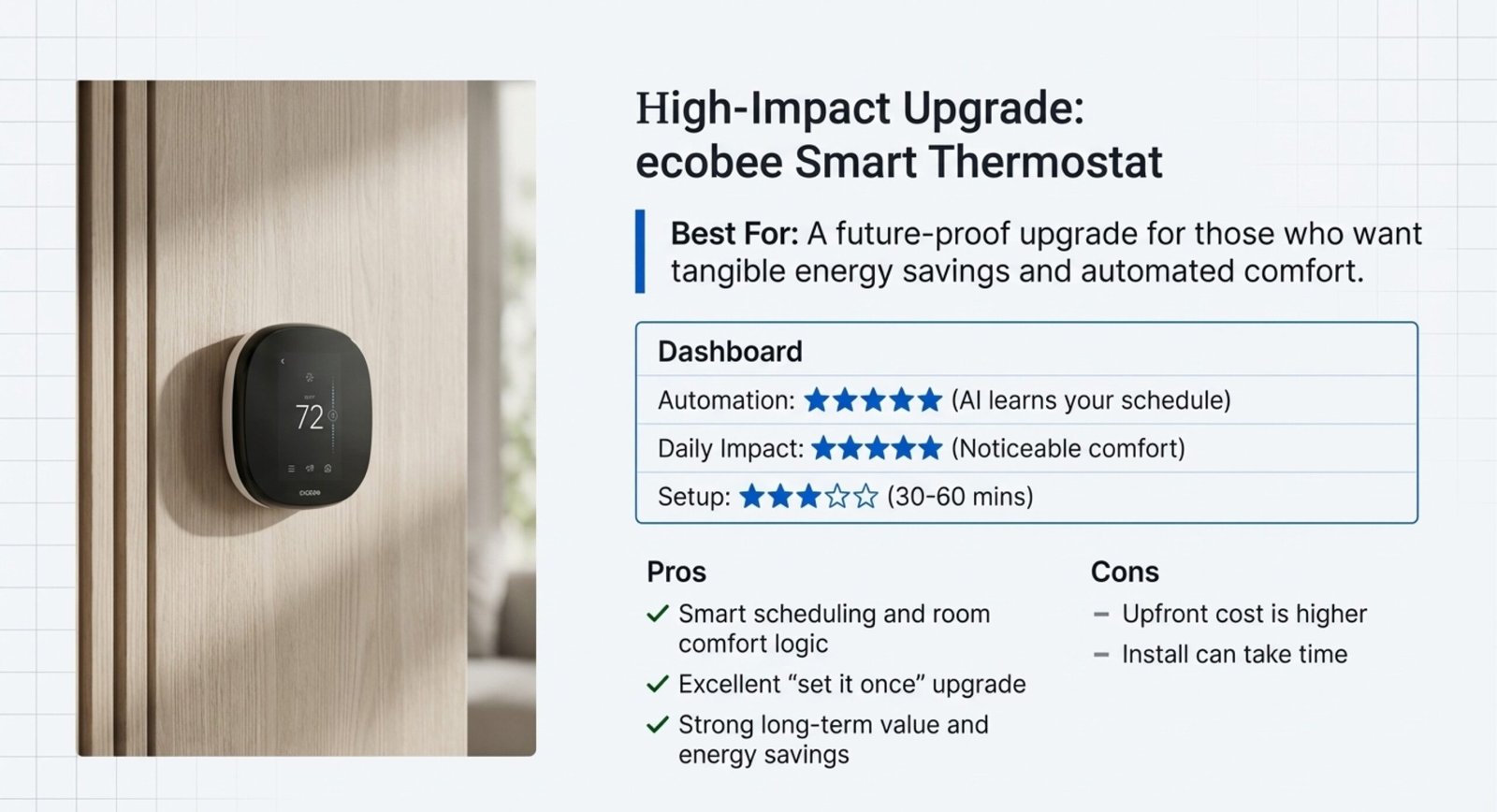
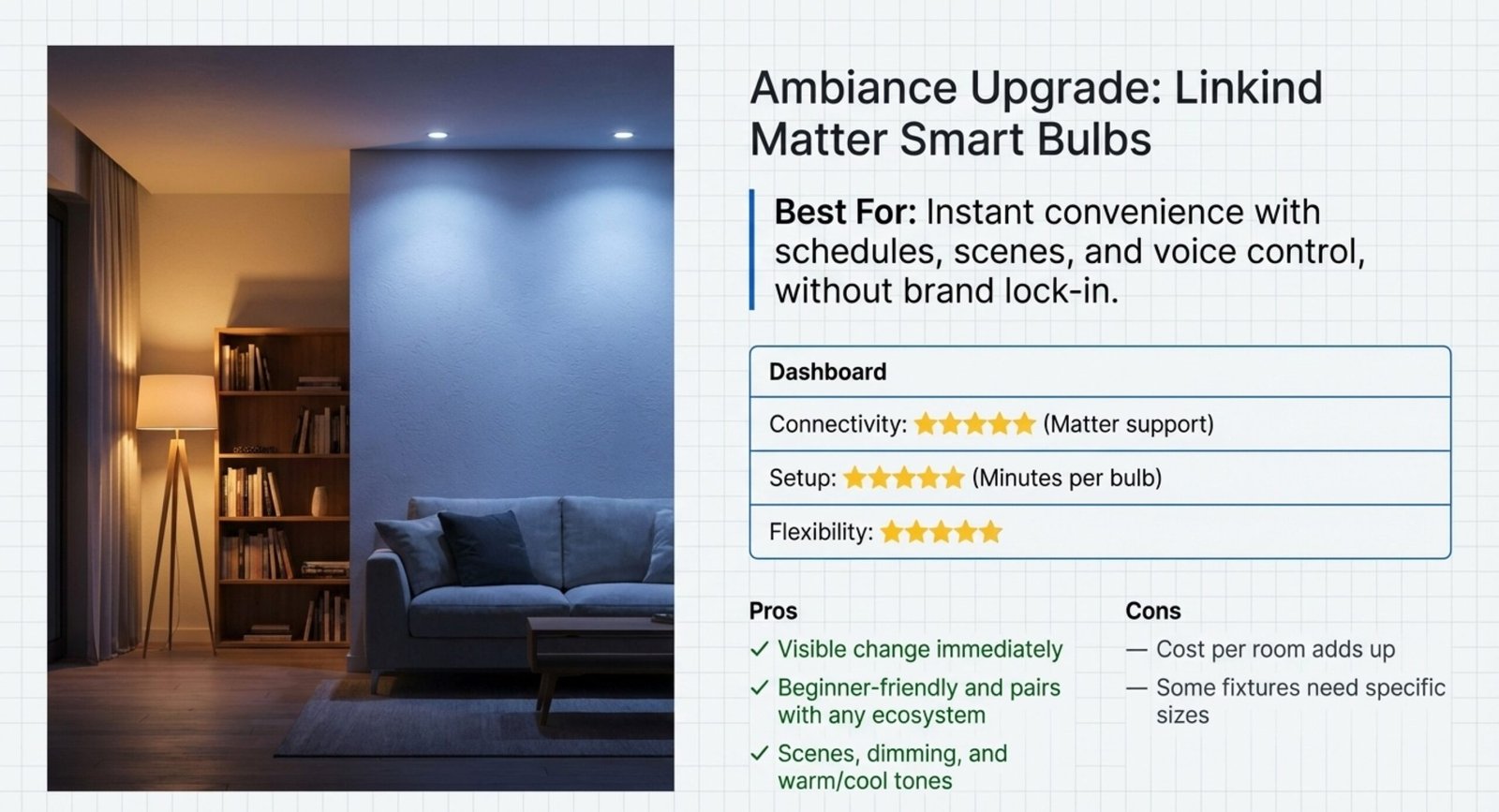
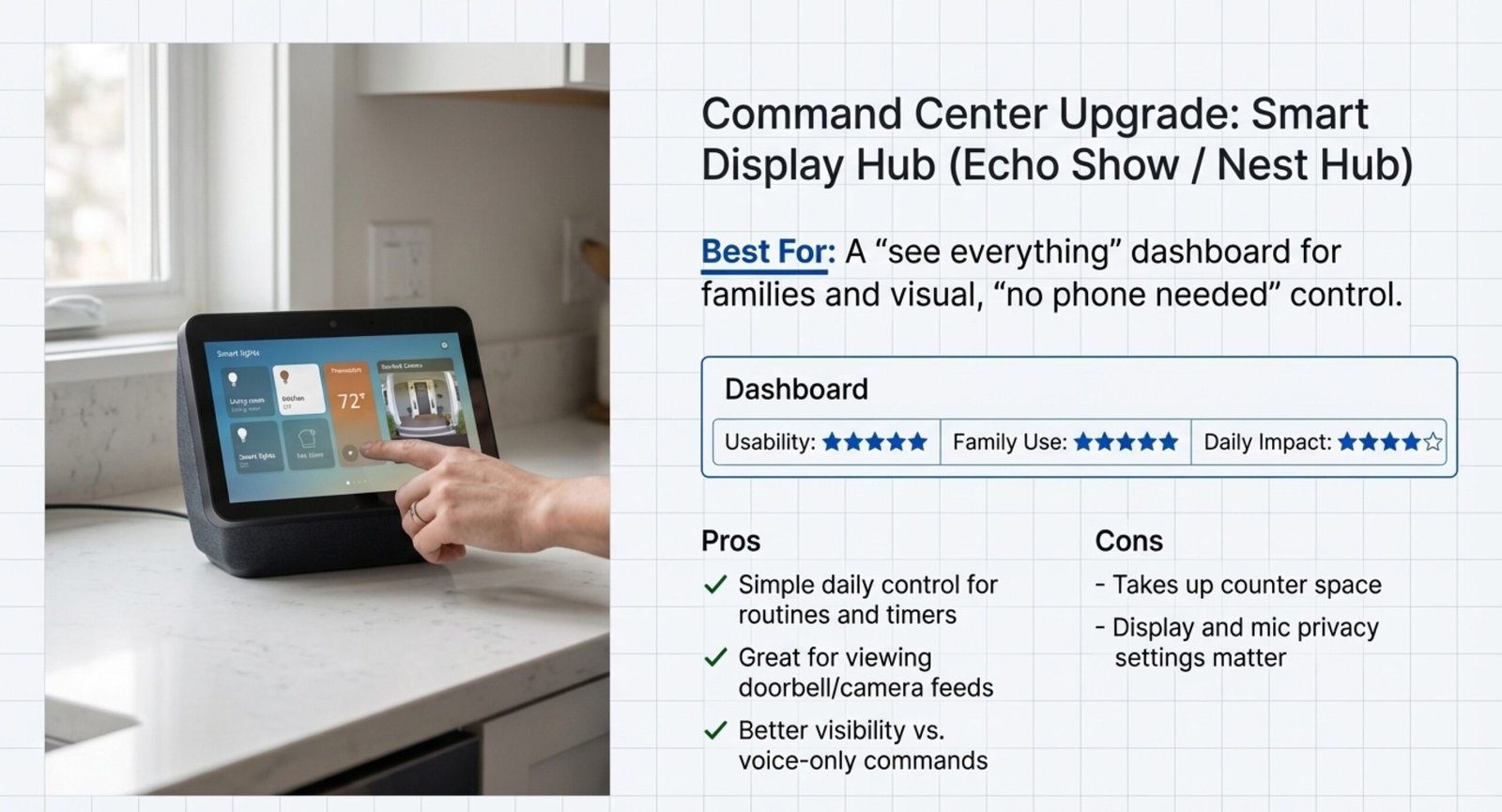
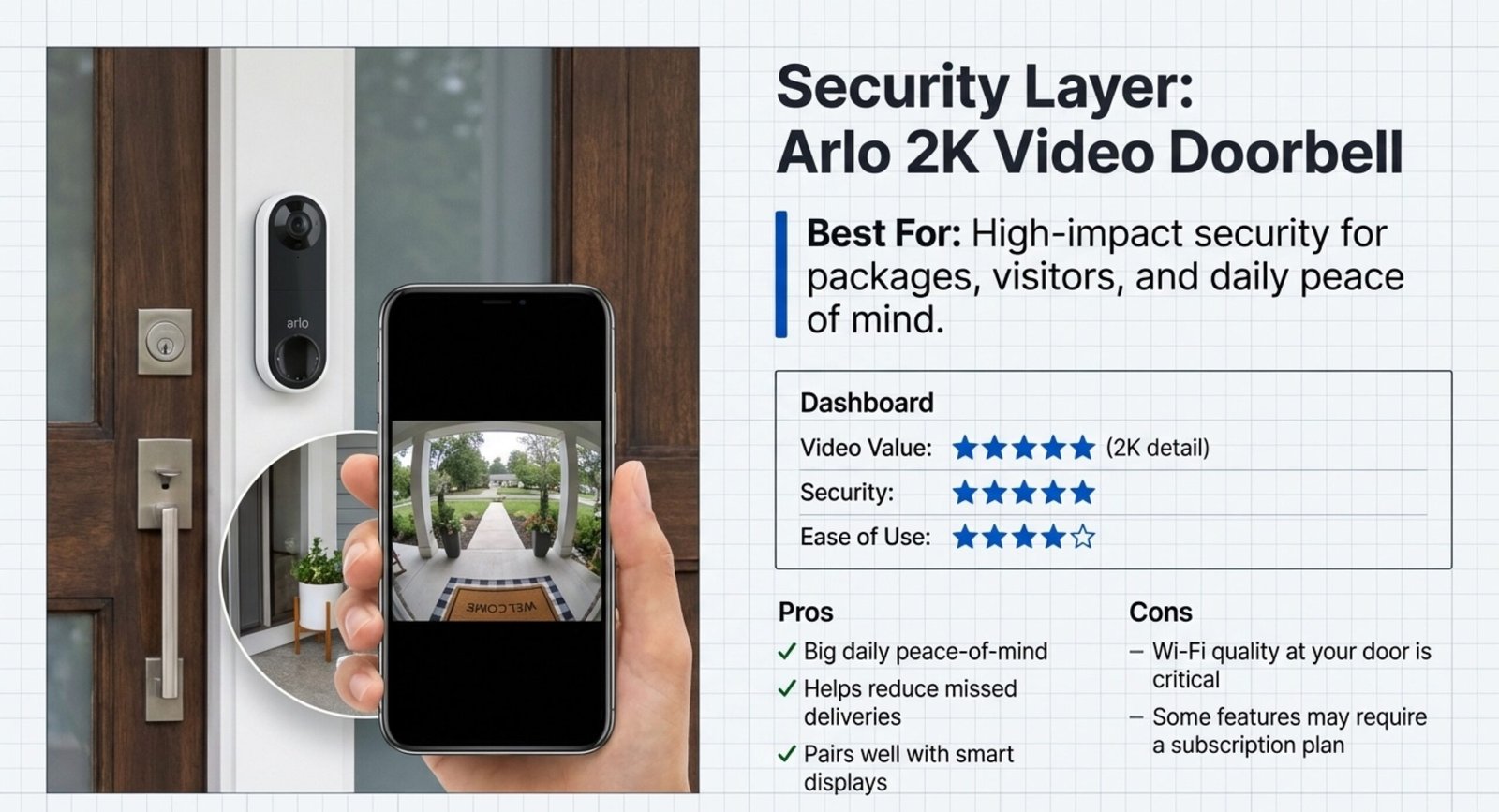
Here’s what actually matters when comparing smart home upgrades in 2026—the few specs that affect daily reliability.
| Product Type | Setup Time | Voice Assistant Support | Learning Capability | Connectivity |
|---|---|---|---|---|
| Smart Speakers | 5-10 minutes | Alexa, Google, Siri | Basic routines only | Wi-Fi |
| Smart Thermostat | 30-60 minutes | Alexa, Google | Yes (AI learns schedule) | Wi-Fi, some use BLE |
| Smart Bulbs | 2-5 minutes per bulb | Alexa, Google, Siri | No | Wi-Fi or BLE |
| Google Nest Hub | 10-15 minutes | Google Assistant built-in | Yes (recognizes routines) | Wi-Fi, Thread, BLE |
Setup time matters. Some stuff is plug-and-play, but thermostats can take a while—though you only do it once.
Voice assistant support is a big deal. If you’re already using Alexa, stick to gear that’ll play nice with it. Saves headaches.
Learning capability means the device can use AI or machine learning to figure out your habits. Smart thermostats with this feature will automatically change the temp when you’re home or away, so you don’t have to mess with it all the time. It’s a real energy saver.
Connectivity type affects how reliable things are. Wi-Fi covers the whole house but can get bogged down if you have too many devices. BLE (Bluetooth Low Energy) is great for nearby bulbs and uses less power.
Monthly cost for these basics? Zero. You pay upfront, and that’s it.
Comparison Guide: Smart Home Upgrades in 2026 (Curated Picks)
Use this table to compare the best smart home upgrades to buy by daily value, connectivity performance, and the real pros/cons that matter in 2026.
- Best For = the #1 reason most buyers choose it.
- Connectivity = how stable it feels day-to-day (Wi-Fi vs Thread/Matter, etc.).
- Pros/Cons = what you’ll actually notice after week 1.
| Upgrade (Curated Product) | Best For | Connectivity & Performance | Key Details | Pros | Cons | Quick Rating Badges | Link |
|---|---|---|---|---|---|---|---|
|
🟢 Best for Beginners
Starter Upgrade
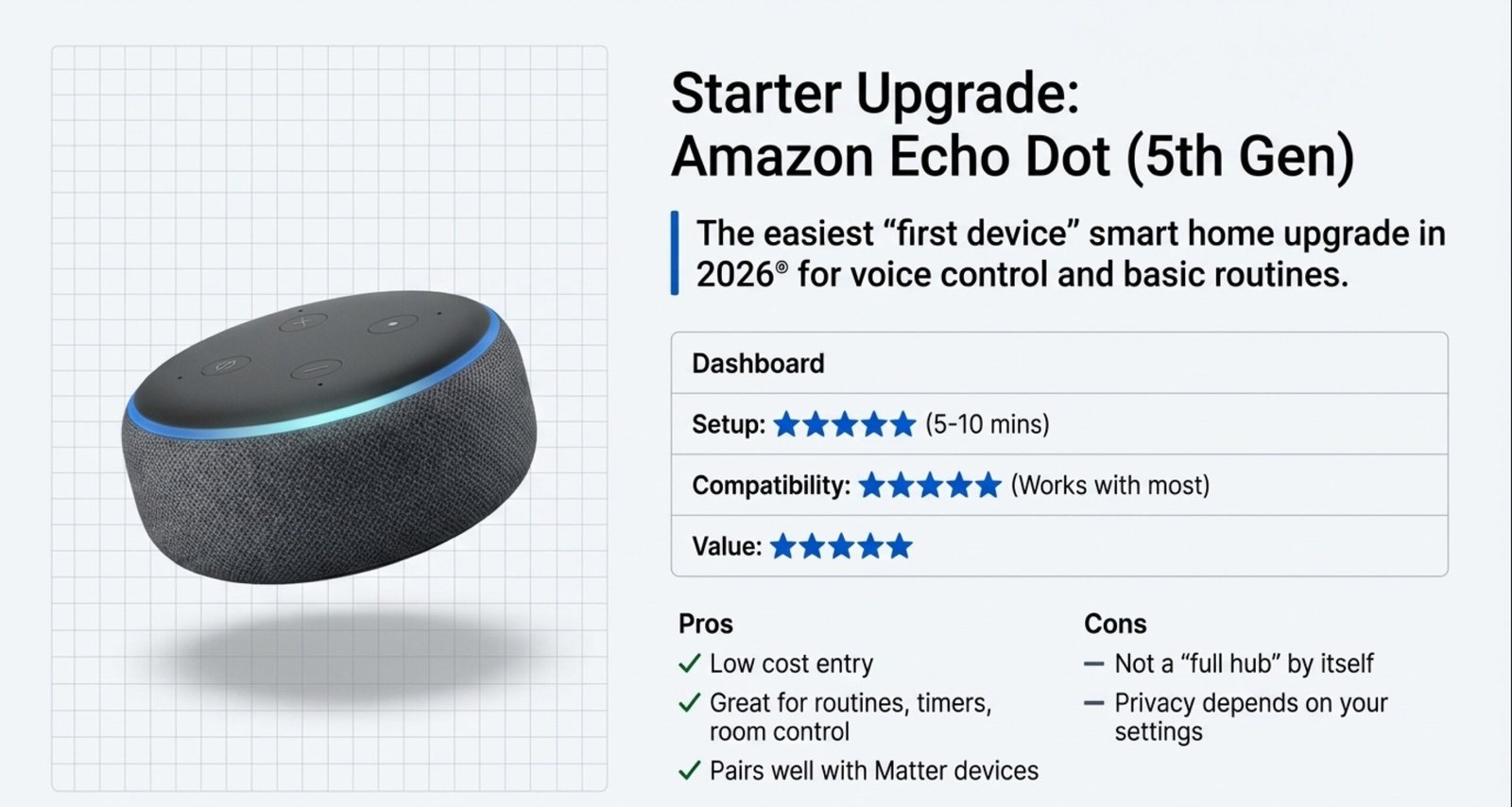
Amazon Echo Dot (5th Gen) The easiest “first device” smart home upgrade in 2026 for voice control + basic routines. |
Beginner setup Hands-free control for lights, plugs, thermostat |
Wi-Fi: ⭐⭐⭐⭐☆
Setup: ⭐⭐⭐⭐⭐
Compatibility: ⭐⭐⭐⭐⭐
Strong daily reliability if your Wi-Fi coverage is solid.
|
|
|
|
Value: ⭐⭐⭐⭐⭐
Ease: ⭐⭐⭐⭐⭐
Longevity: ⭐⭐⭐⭐☆
|
Check on Amazon |
|
🟢 Best Overall
Energy Upgrade
ecobee Smart Thermostat (Premium Line) One of the most future proof smart home upgrades in 2026 if you want comfort + real savings. |
Energy savings Comfort + smarter schedules |
Wi-Fi: ⭐⭐⭐⭐☆
Automation: ⭐⭐⭐⭐⭐
Daily impact: ⭐⭐⭐⭐⭐
Best results when paired with stable Wi-Fi + sensors.
|
|
|
|
Savings: ⭐⭐⭐⭐⭐
Comfort: ⭐⭐⭐⭐⭐
Setup: ⭐⭐⭐☆☆
|
Check on Amazon |
|
Matter Pick
Budget-Friendly
Linkind Matter Smart Light Bulbs (A19) Easy, visible smart home upgrades in 2026—great for mood + schedules without brand lock-in. |
Instant convenience Schedules, scenes, voice control |
Matter: ⭐⭐⭐⭐⭐
Reliability: ⭐⭐⭐⭐☆
Setup: ⭐⭐⭐⭐⭐
Best when your Wi-Fi is stable in the room.
|
|
|
|
Value: ⭐⭐⭐⭐☆
Look: ⭐⭐⭐⭐⭐
Flex: ⭐⭐⭐⭐⭐
|
Check on Amazon |
|
Control Center
Kitchen/Living Room
Smart Display Hub (Echo Show / Nest Hub) A “see everything” upgrade that makes smart home upgrades worth it—especially for families. |
Central control Dashboards, routines, quick controls |
Wi-Fi: ⭐⭐⭐⭐☆
Usability: ⭐⭐⭐⭐⭐
Family use: ⭐⭐⭐⭐⭐
Best for “no phone needed” control.
|
|
|
|
Ease: ⭐⭐⭐⭐⭐
Value: ⭐⭐⭐⭐☆
Impact: ⭐⭐⭐⭐☆
|
Check on Amazon |
|
Security Upgrade
Alexa/Google-Friendly
Arlo 2K Video Doorbell (Wired/Wire-Free) A high-impact security pick—one of the best smart home upgrades to buy in 2026 for real homes. |
Front door safety Packages, visitors, quick alerts |
Wi-Fi: ⭐⭐⭐⭐☆
Video value: ⭐⭐⭐⭐⭐
Alerts: ⭐⭐⭐⭐☆
Great if your entry area Wi-Fi is strong.
|
|
|
|
Security: ⭐⭐⭐⭐⭐
Ease: ⭐⭐⭐⭐☆
Value: ⭐⭐⭐⭐☆
|
Check on Amazon |
|
Keyless Entry
Apple Home Lean
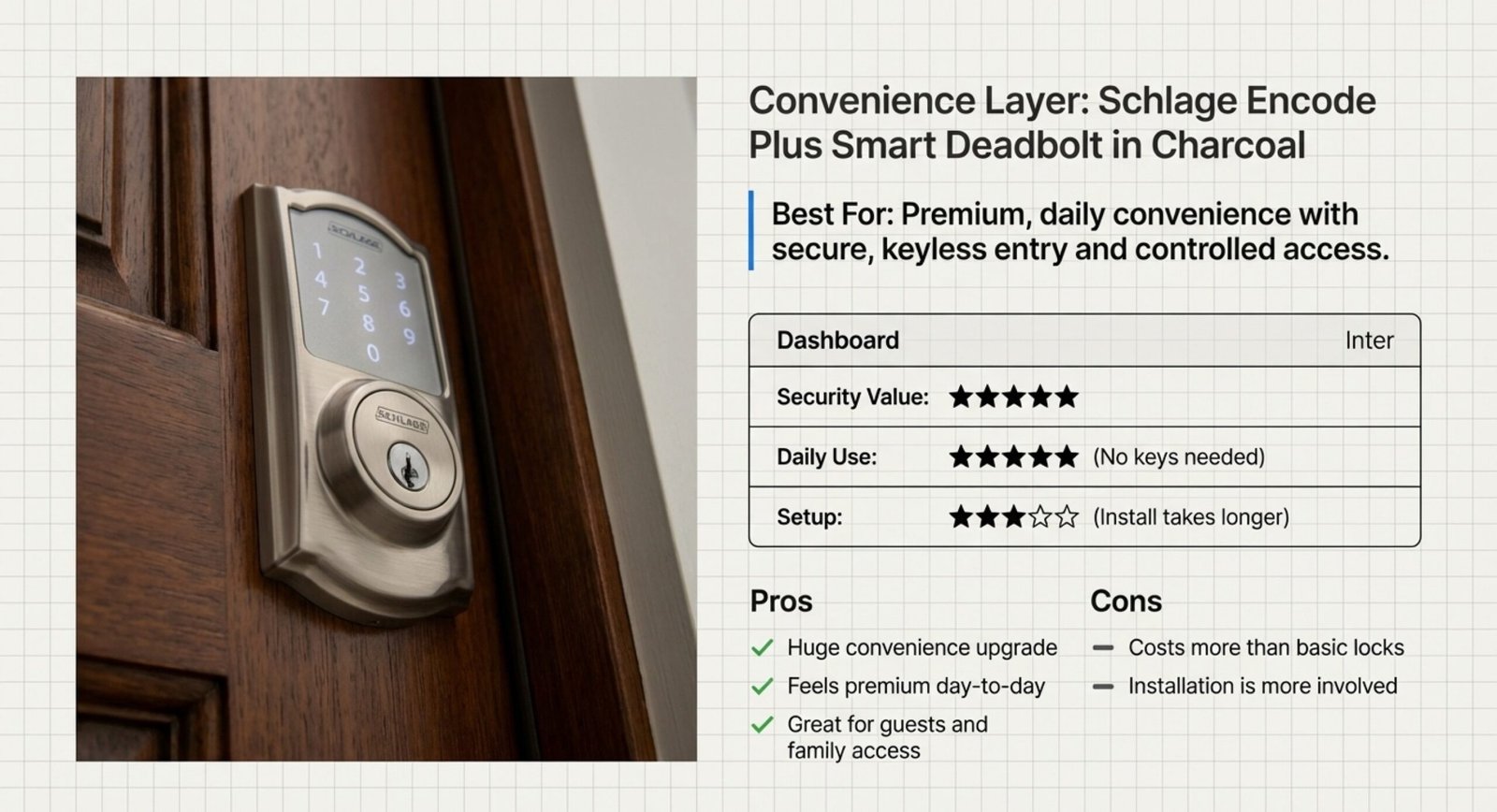
Schlage Encode Plus Smart Deadbolt A premium lock choice—future proof smart home upgrades in 2026 start with secure entry. |
Daily convenience No keys, controlled access |
Stability: ⭐⭐⭐⭐☆
Security value: ⭐⭐⭐⭐⭐
Daily use: ⭐⭐⭐⭐⭐
Best when you prioritize secure, repeatable routines.
|
|
|
|
Security: ⭐⭐⭐⭐⭐
Value: ⭐⭐⭐⭐☆
Setup: ⭐⭐⭐☆☆
|
Check on Amazon |
Which Smart Home Devices Are Best for Your Situation
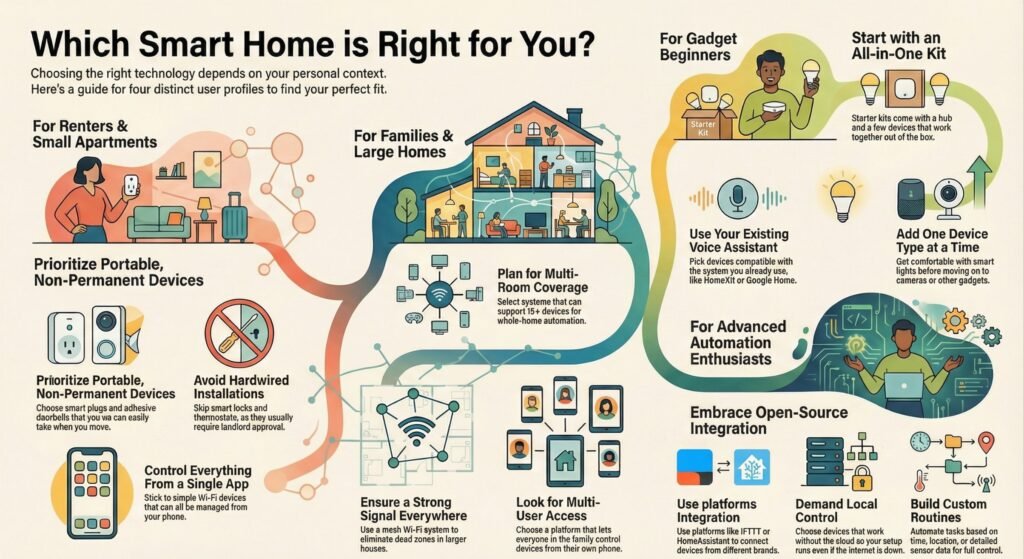
Your living situation and how comfortable you are with tech matter more than any fancy feature list. The right upgrade depends on whether you rent or own, how many people live with you, and how much time you want to spend tinkering.
For Renters and Small Apartments
Best renter-friendly upgrades (no drilling, no rewiring):
- Make sure your Wi-Fi reaches the front door (doorbells fail most here)
- Start with smart plugs + smart lighting (fast wins, easy to move)
- Choose a stick-on / battery option if you add a doorbell
- Avoid hardwired thermostats and locks unless your landlord approves
- Keep it to one app + one assistant to prevent daily friction
For Families and Large Homes
Best upgrades for families / larger homes:
Keep automation simple: routines that run daily beat “cool ideas” you never use.
- Prioritize coverage first (dead zones break everything)
- Add devices in layers: entry (doorbell/lock) → halls (lights/sensors) → comfort (thermostat)
- Choose gear that supports multiple users (everyone gets access)
- Consider mesh Wi-Fi if devices drop in certain rooms
For Gadget Beginners
If you’re a beginner, start here:
- Use this smart home upgrade checklist before you buy
- Pick the assistant you already use → then buy compatible gear
- Add one device type at a time (lights first, then cameras, then locks)
- Avoid anything that needs “tinkering” to feel reliable
- If setup takes an hour, it’s probably not beginner-friendly
For Advanced Automation Enthusiasts
If you’re advanced and want real control:
- Keep “mission critical” routines simple (lights/locks should never be fragile)
- Look for local control options so routines survive internet outages
- Choose devices that support mixed protocols (not one-brand traps)
- Use energy monitoring for alerts and meaningful automations
Common Smart Home Upgrade Mistakes to Avoid in 2026
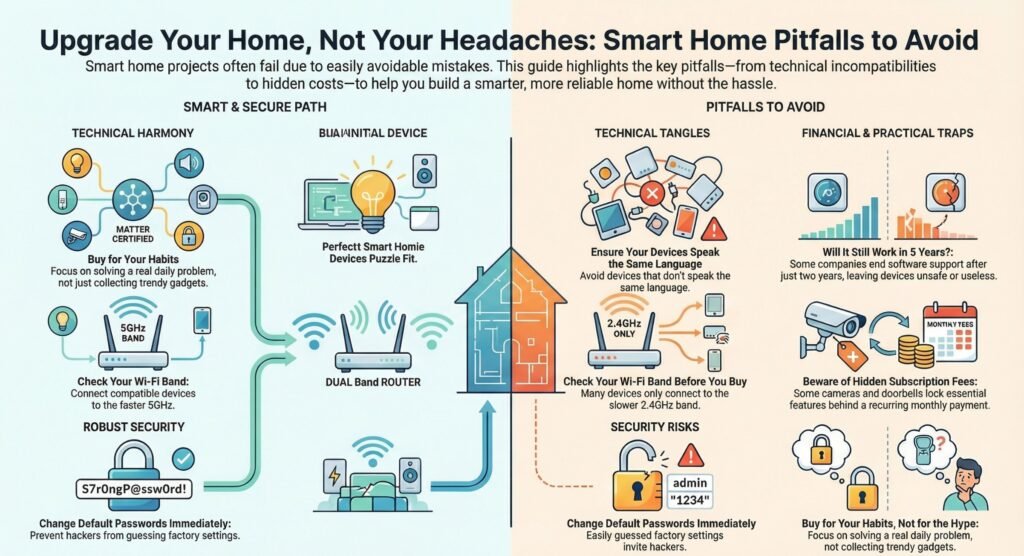
Smart home projects fail when people buy smart home upgrades that won’t work together, skip security basics, or get dazzled by features they’ll never use. Knowing what to avoid saves you money—and keeps gadgets out of the junk drawer.
Overlooking Compatibility Issues
Smart home devices speak different “languages.” Some run on Wi-Fi, others use Zigbee or Z-Wave, and plenty need their own hubs.
The biggest compatibility mistake? Mixing devices without checking if they’ll talk to each other. Maybe you buy an Alexa speaker, then realize your new smart lock only works with Google Home. That’s a headache you don’t want.
When you shop, prioritize matter compatible smart home devices to reduce compatibility surprises later. Matter is a new standard that helps all these brands play nice together. It’s a lifesaver for mixed-platform homes.
Don’t forget about your Wi-Fi router. Lots of smart devices only work on 2.4GHz, not the faster 5GHz band. Switching between dual-band and single-band during setup can save you a lot of frustration.
Neglecting Long-Term Support
Smart home devices need regular software updates to stay secure and functional. If a company stops supporting a product, you could end up with a useless or unsafe device.
Check how long brands have supported their older products before buying. Some drop support after two years, while others stick around for five or more.
Cloud services are another risk. If a company shuts down its cloud, your device might just stop working. Devices with local control give you a backup plan—they’ll keep running even if the company disappears.
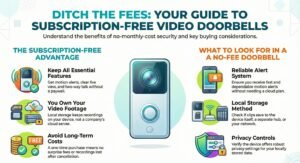
Watch out for subscriptions. Some cameras and doorbells lock key features behind a monthly fee. Do the math for three to five years, not just the sticker price.
Ignoring Security and Privacy
Smart home devices connect to your network and often have cameras or mics. Weak security can let hackers snoop on you or even control your stuff.
Change default passwords right after setup. Most devices ship with easy passwords like “admin” or “1234”—hackers know them all. Use strong, unique passwords for each device and your Wi-Fi.
Turn on two-factor authentication if you can. It adds an extra step and blocks most break-in attempts.
Read privacy policies before buying cameras or voice assistants. Some companies record everything and share data; others process it locally and let you decide what’s stored.
Keep your devices updated with the latest firmware. Updates usually patch security holes. If you can, set updates to install automatically.
Chasing Unnecessary Features
Marketing loves to hype up the latest features, but honestly, a lot of them just make things more complicated without really helping. You don’t actually need every gadget and gizmo to have a smart home that works for you.
Take a moment to think about your real daily habits before you buy anything. Sure, a smart coffee maker sounds cool—until you remember you never wake up at the same time twice. And while a robot vacuum with fancy room mapping is neat, a simple model is totally fine if you live in a small apartment.
Cheap smart plugs are notorious for failing and constantly dropping their connection. Spending a bit more on decent devices can save you a ton of headaches. Still, pricey doesn’t always mean better. Look at real-world performance reviews, not just price tags or flashy brands.
Try not to get too attached to one brand. Sticking with a single ecosystem can make setup easier, but it also locks you into that company’s way of doing things—and their prices. It’s smarter to solve specific problems instead of just collecting gear from your favorite brand.
Alternative Smart Home Setups Worth Considering in 2026
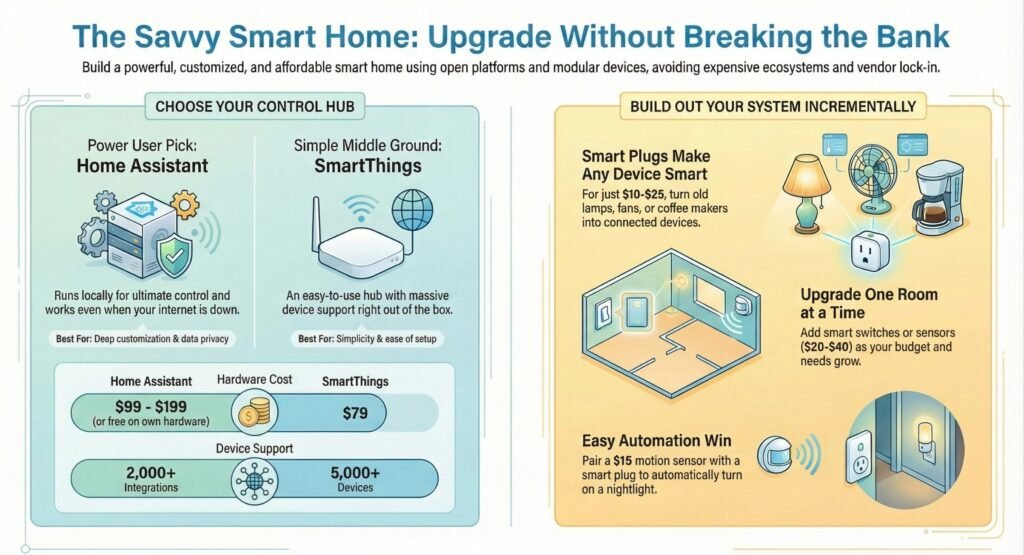
If the usual hubs feel too expensive or restrictive, there are alternatives that still support smart home upgrades in 2026 without locking you into one brand. You can get similar automation for less money or with more control. DIY platforms let you tweak everything, and smart plugs can bring your old devices online without replacing them.
Open-Source and DIY Smart Home Platforms
Home Assistant is a favorite among power users because it runs locally and talks to over 2,000 devices. You keep control of your data, and your automations keep working even if your internet dies for a bit.
The hardware runs from $99 to $199 for a ready-to-go box, or you can just install it free on a Raspberry Pi. Setup usually takes 20 to 40 minutes if you follow the on-screen steps.
Home Assistant works with Zigbee, Z-Wave, Thread, and Matter, so you won’t need a separate hub for every protocol. It gets monthly updates with new features, and the community adds integrations for devices the big brands ignore.
SmartThings is a decent middle ground. The Station costs $79 and supports over 5,000 devices right out of the box. The app is simple, there are no subscription fees, but you do lose some of the deep customization options Home Assistant gives you.
Smart Plugs and Adapters for Legacy Devices
Smart plugs can turn any lamp, fan, or coffee maker into a connected device for just $10 to $25 each. You plug the adapter into your wall, then plug your device into that.
Most plugs use Wi-Fi and work with Alexa, Google Assistant, or Apple Home. Some even track energy use, so you can see which devices are guzzling power.
Tuya-based plugs are cheap and work with dozens of third-party apps. The catch? They don’t have local control, so your automations need the internet to run.
Matter-certified plugs work across all the big platforms and don’t rely on the cloud. They cost a few bucks more, but they’re a safer bet for the future as more devices use the standard.
Pairing a motion sensor with a smart plug is an easy win. Stick a $15 sensor in your hallway and have it turn on a nightlight when you walk by after dark. Simple and handy.
Upgrading With Modular Solutions
You really don’t have to swap out every switch and outlet at once. Start with one room and add more as you go and as your budget allows.
Smart switches replace your regular wall switches and control all the lights on that circuit. You get to keep your old bulbs, which saves money compared to buying smart bulbs for every lamp. Installing them means flipping off your breaker and having some basic wiring know-how.
Insteon devices use both power lines and radio signals, which helps if your Wi-Fi is spotty. The company relaunched in 2022 after a short shutdown, so double-check for the latest products before buying.
Add motion sensors, door contacts, and leak detectors one at a time. Most cost $20 to $40 and use coin batteries that last a year or two. They work with your current hub and can trigger routines, like turning off lights when everyone leaves or sending an alert if there’s a leak somewhere.
Final Recommendation: Smart Home Upgrades That Age Well Beyond 2026
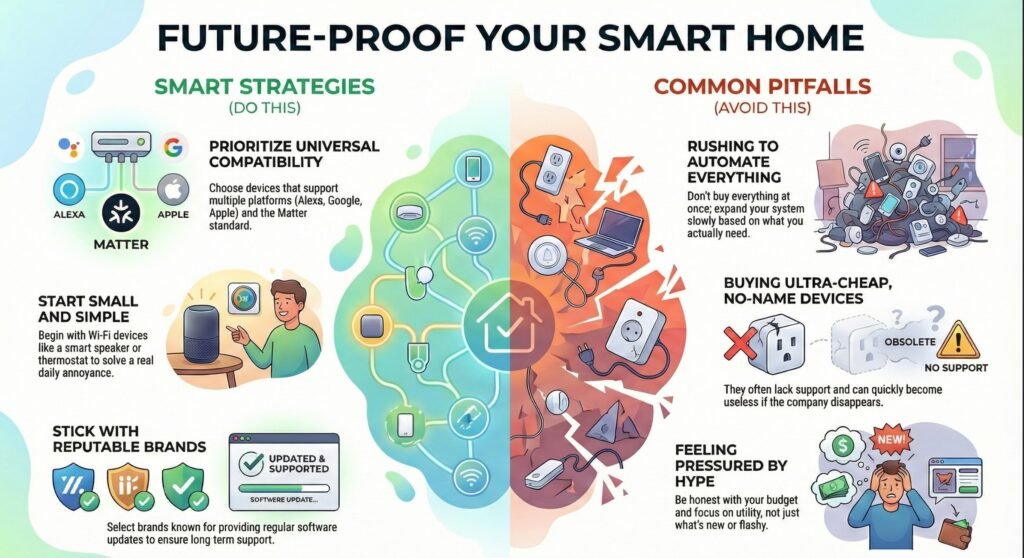
If you’re just getting started, choose one or two smart home upgrades worth it that fix a real daily annoyance before you expand. Go for products that play nicely with several platforms—think Alexa, Google Assistant, and Apple HomeKit. That way, you’re not boxed in if the smart home world shifts (and let’s be honest, it always does).
Whenever you can, choose matter compatible smart home devices—they’re the easiest path to future proof smart home upgrades. It’s a new standard, and honestly, it makes life easier since stuff from different brands can work together. Plus, it means your gadgets are less likely to get outdated when new features roll out.
Here’s what matters most:
- Start with Wi-Fi devices—they don’t need extra hubs or complicated setups
- Stick to brands that actually update their software instead of abandoning you
- Don’t go overboard—add a few things, see what actually helps, and build from there
It’s worth mentioning: homes with some basic automation tend to sell faster and sometimes even fetch a better price. But honestly, there’s no need to rush and automate every corner before 2026. The tech is just going to keep getting better, so why stress?
For your first smart home buys, a smart speaker or display is a solid start—maybe throw in smart lighting or a smart thermostat too. These give you instant benefits and a sense of how automation might fit your day-to-day.
Steer clear of those ultra-cheap, no-name devices. They might seem tempting, but they often quit working the moment the company disappears. It’s just safer to stick with brands that have been around for a while.
Be honest with your budget, and don’t feel pressured to buy everything at once. The best smart homes grow slowly, shaped by what you actually need—not just whatever’s new or flashy this week.
Smart Home Upgrades in 2026: Common Questions Answered
What Are the Best Smart Home Upgrades in 2026 for Most Homes?
The best smart home upgrades in 2026 for most homes focus on comfort, security, and energy savings. A smart thermostat, video doorbell, and smart lighting system usually deliver the fastest benefits without adding complexity. These upgrades are widely compatible, easy to set up, and considered smart home upgrades worth it for beginners and experienced users alike.
Are Smart Home Upgrades in 2026 Worth It for Beginners?
Yes—smart home upgrades in 2026 are more beginner-friendly than ever. Many of the best smart home devices for beginners now work out of the box, rely on a single app, and support voice control. Starting with smart plugs, lights, or a smart speaker lets beginners build confidence before moving to more advanced upgrades.
How Do I Choose Future-Proof Smart Home Upgrades in 2026?
To choose future proof smart home upgrades, prioritize long-term compatibility and updates. In smart home upgrades in 2026, this means looking for matter compatible smart home devices, brands with strong update histories, and products that don’t rely entirely on cloud subscriptions. These choices reduce the risk of devices becoming unusable after a few years.
What Smart Home Upgrades Should I Avoid in 2026?
In 2026, avoid smart home upgrades that lock you into a single brand, lack software updates, or require unnecessary subscriptions. Ultra-cheap devices without ecosystem support often cause reliability issues. A good smart home buying guide recommends focusing on upgrades that solve real problems rather than novelty gadgets.
Do I Need a Hub for Smart Home Upgrades in 2026?
Not always. Many smart home upgrades in 2026 work directly over Wi-Fi, especially lights, plugs, and cameras. However, a hub can still be useful for advanced automation or local control. A solid smart home ecosystem buying guide helps you decide whether a hub fits your setup or adds unnecessary complexity.
Will I end up paying monthly fees for smart home upgrades in 2026?
Sometimes. Doorbells and cameras often reserve “nice-to-have” features for a plan. Before buying, check what works without a subscription so your smart home upgrades worth it stay worth it long-term.
What’s the simplest way to avoid privacy regret with a smart home?
Use two-factor authentication, turn off features you don’t need, and avoid putting cameras/mics in private areas. If possible, choose devices that support local storage or local control so you’re not dependent on cloud services.
What should I buy first if I’m a total beginner?
Start with one assistant + one device type (plugs or lights). Once that feels reliable, add a doorbell or thermostat. The best smart home devices for beginners are the ones that work daily without tinkering.